

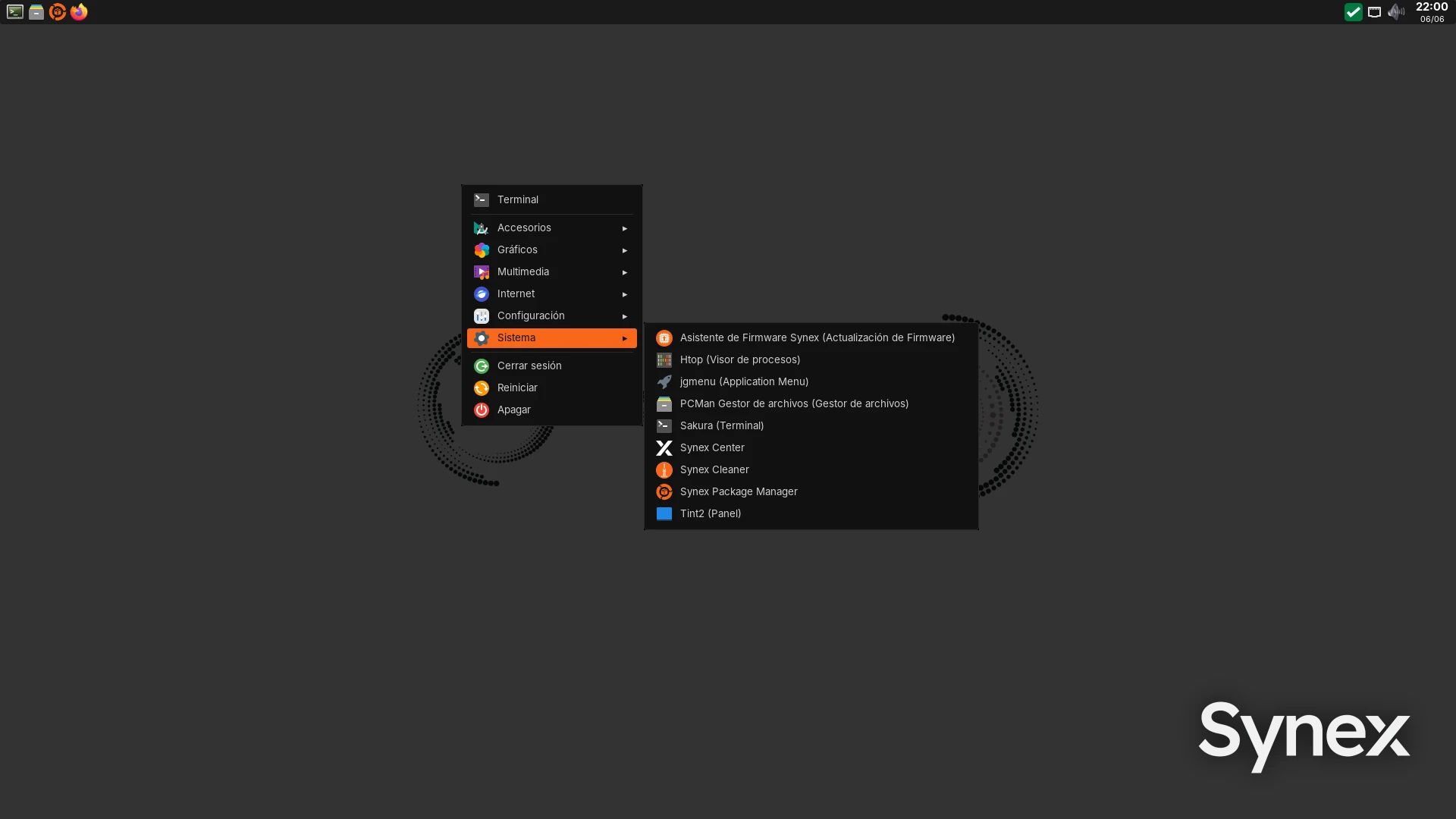
We are pleased to announce the Openbox edition of Synex 13, one of the lightest editions in the Synex Desktop family. This new edition targets users looking for a responsive system on resource-constrained hardware, without giving up the visual consistency or the tools that define the project. Openbox thus joins the editions already available (KDE Plasma, GNOME, XFCE, MATE, LXDE, and IceWM), offering an alternative focused on simplicity and low resource usage.
A lightweight, straightforward environment
The edition relies on Openbox as its window manager, forgoing a compositor to keep memory and CPU usage to a minimum. The environment is rounded out with a set of light, proven components: tint2 as the panel, jgmenu as the application menu, sakura as the terminal, PCManFM as the file manager, dunst for notifications, and nitrogen for wallpaper management. The session is handled by LightDM and connectivity by NetworkManager.
The result is a desktop that boots and responds smoothly even on low-end machines, keeping resource usage contained both at idle and in everyday use.
The Synex identity, across every toolkit
One of the focuses of this edition was bringing the Synex visual identity to a traditionally minimalist environment, without relying on the themes of a full desktop. The dark theme with the orange accent characteristic of Synex is applied consistently across both GTK3 and GTK4/libadwaita applications, so the appearance stays uniform regardless of each application's toolkit.
The set is completed with the Papirus-Dark icon set, Synex's own icons for the distribution's components, the Inter typeface throughout the interface, and a system presentation via fastfetch with the project logo. The edition also includes the synex-restore-appearance tool, which lets you restore the default Synex appearance at any time.
A multilingual application menu
The application menu, handled by jgmenu, presents the system's applications organized by category and translated automatically according to the session language. The menu's fixed entries—terminal, log out, restart, and shut down—are also localized automatically in Spanish, English, French, German, Italian, and Japanese, with an English fallback for all other languages.
Ready for everyday use
The edition ships preconfigured for immediate use. The multimedia keys for volume and brightness control work out of the box, and it includes a set of default applications chosen for their light footprint: l3afpad as the text editor, GPicView for images, Xarchiver for compressed archives, and Firefox ESR as the browser. Software management is handled through Synex Package Manager (SPM), the same tool found across the rest of the Synex Desktop editions.
The full Synex ecosystem
Despite its minimalist approach, the Openbox edition is not a stripped-down version of Synex: it shares the same base as the rest of Synex 13 (Debian Trixie) and full access to its ecosystem. This includes Synex Package Manager as the central software manager, Synex Center for system administration, and the Calamares installer with Synex's complete storage scheme, with support for BTRFS, ZFS, LVM, and encryption.
Availability
The Openbox edition of Synex 13 is available for the amd64 architecture. As always, we recommend verifying the checksums of downloaded images before creating the installation media.
Download Synex 13 Openbox from here.