

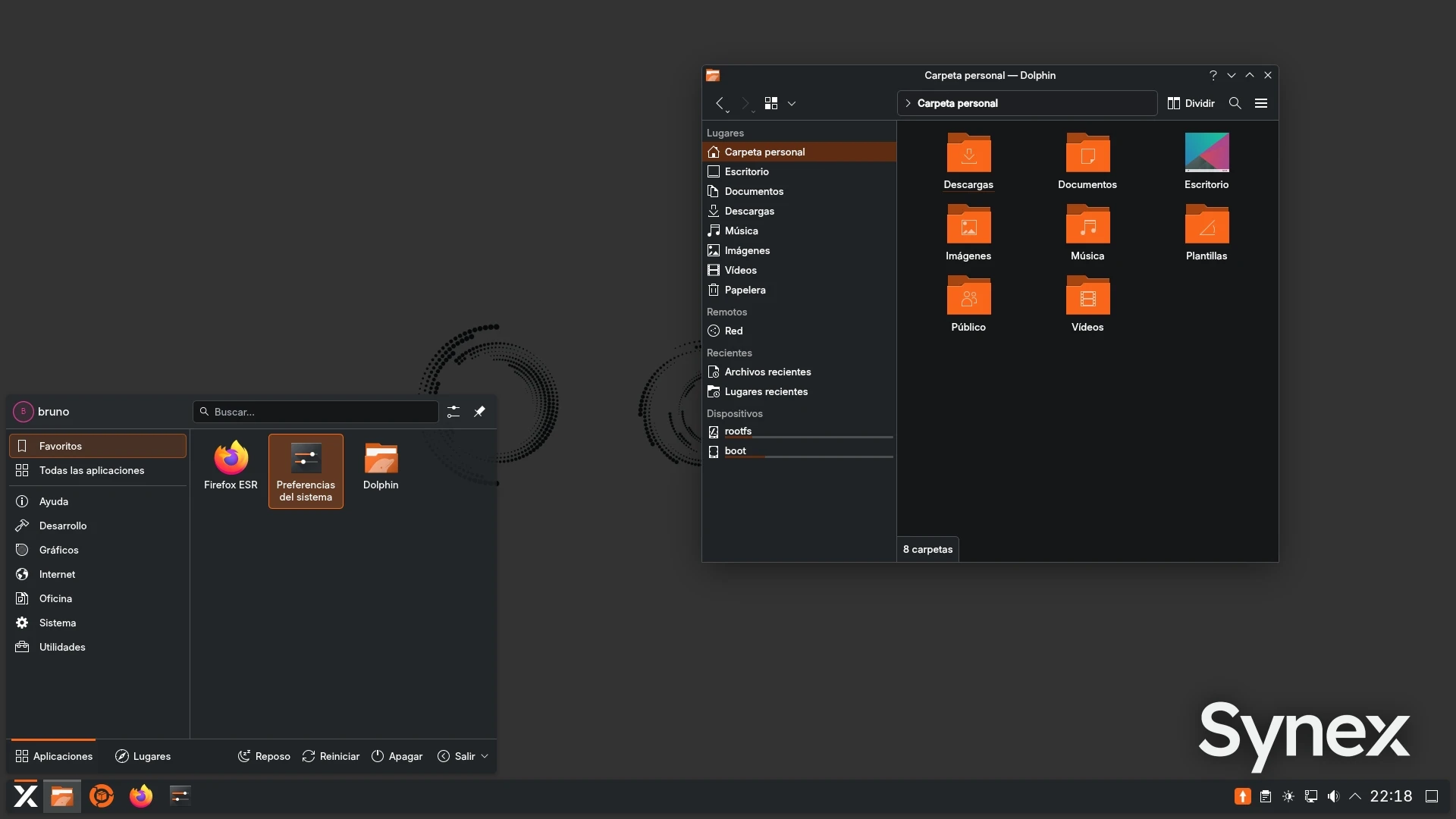
We are pleased to announce new Synex semi-rolling images, available in KDE Plasma, GNOME, and XFCE editions. This update continues the work on the Debian testing-based branch, aimed at offering newer versions of the kernel, desktop environments, and main system components while keeping coherence with the rest of the Synex ecosystem.
Synex's own KDE theme in the Plasma edition
The KDE Plasma edition debuts the Synex theme, a custom look-and-feel (org.kde.synex.desktop) that consolidates the distribution's visual identity into a single package. Until now, KDE's appearance in Synex was built in a scattered way: different adjustments were applied through live-build configurations executed in the chroot during image construction. The new synex-kde-theme package gathers all that work into a formal and maintainable look-and-feel.
The package includes a custom panel layout (pinned launchers, Kickoff hover-to-switch categories, 24-hour time-only clock, and 44px panel height), the SynexDark color scheme, the synex-breeze login theme for SDDM, and Synex's dynamic wallpaper with light and dark variants in 16:9, 16:10, and 21:9 resolutions. System defaults (/etc/xdg/kdeglobals, screen locking, and SDDM theme selection) are defined at the package level, providing a coherent base for new users without relying solely on skel configurations.
This branding work maintains separation from the original KDE packages, avoiding conflicts during desktop environment updates.
Synex Package Manager 0.6.0
Synex Package Manager continues to consolidate itself as the central tool for software management in Synex Desktop. The application keeps its goal: unifying APT updates, Debian packages, APT repositories, Flatpak, and tray notifications into a single place.
This series of versions incorporates significant improvements in configuration, Flatpak management, and repository catalog.
New settings page
The most relevant addition is a Settings page that centralizes application and background service preferences. From this section, the user can configure the automatic APT package list refresh interval directly from the graphical interface, choosing between predefined presets from 1 to 24 hours or a custom interval.
Custom intervals are stored through a systemd override in /etc/systemd/system, without modifying the packaged timer unit. This allows resetting the interval to the package default at any time, and ensures that customizations are properly cleaned up when uninstalling the application. The update indicator autostart preference was also moved to this new page, keeping the Updates page focused exclusively on update actions.
Flatpak management and updates view
Flatpak management incorporates a new maintenance action that removes unused runtimes and extensions, freeing space occupied by dependencies that no installed application requires anymore.
The results view was redesigned so that only the application list scrolls, keeping search filters, support and maintenance actions, and pending changes always visible. The same criterion was applied to the package view and to the updates page, which now presents a unified list of APT and Flatpak updates (APT first, each group sorted alphabetically) with a contextual install button that reuses the combined flow.
New known repositories
The known repository catalog added new workstation-oriented options: Spotify, Signal (with a correction in the official keyring installation), TeamViewer, AnyDesk, and Devolutions Remote Desktop Manager. Each entry incorporates dedicated keyring handling, and the catalog now sorts categories and entries alphabetically by their visible label in the add dialog.
The application keeps its conservative approach: it uses Deb822 format when appropriate, validates signed-by, avoids duplicates, and can repair existing entries instead of creating redundant configurations.
Updated components
The new images share an updated base on Debian testing / Forky. Main components include Linux kernel 7.0.9, systemd 260.1, OpenSSL 3.6.2, Mesa 26.0.6, PipeWire 1.6.5, WirePlumber 0.5.14, Firefox ESR 140.11.0, and Flatpak 1.16.6. The installer remains based on Calamares 3.4.2 with calamares-settings-synex 1.0.25.
The KDE Plasma edition includes Plasma Desktop 6.6.5, KWin 6.6.5, and KDE Applications 26.04.0 such as Dolphin, Konsole, Ark, Kate, and Gwenview. The GNOME edition includes GNOME Shell 49.5, GDM3 49.2, Nautilus 50.1, and GNOME Control Center 50.1. The XFCE edition remains on the XFCE 4.20 series, with xfce4-panel 4.20.7, xfce4-session 4.20.4, xfwm4 4.20, and Thunar 4.20.8.
Considerations
The semi-rolling branch is intended for users who want newer versions of the desktop environment, kernel, and system components. Since it is based on Debian testing, it may receive more frequent changes than the stable edition and may occasionally require adjustments between updates. For environments where long-term stability is the priority, the Synex stable branch remains the recommended option.
Availability
The new Synex testing images for KDE Plasma, GNOME, and XFCE are available for download from SourceForge. As always, we recommend verifying the checksums of downloaded images before creating the installation media.
Download Synex semi-rolling here.