

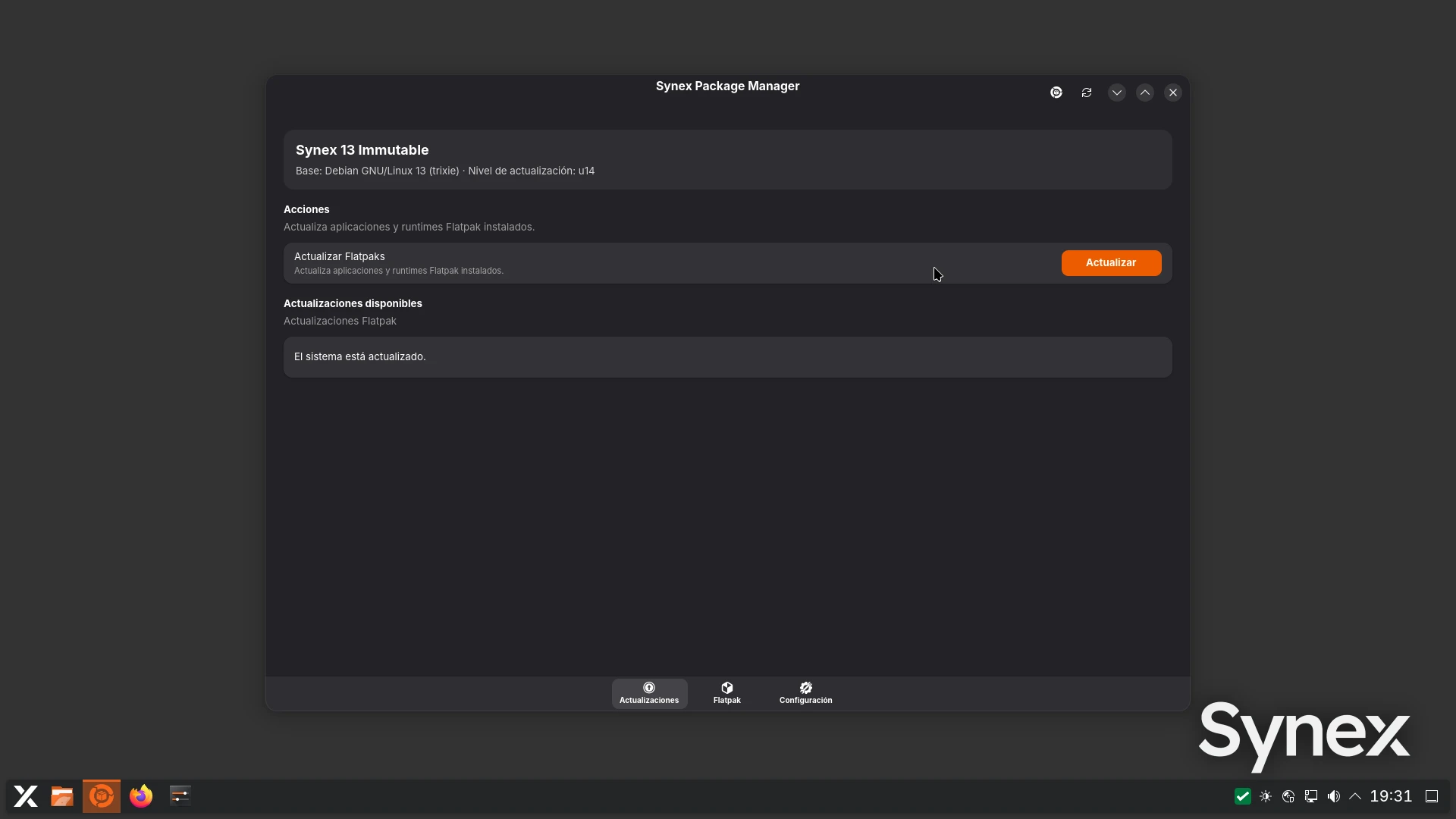
We are pleased to announce Synex 13 Immutable Beta 1, the second public image of our immutable edition and the first one built around Synex Immutable 0.2.0.
Alpha 1 introduced the foundation of the architecture: a system divided into Btrfs generations, with a read-only active root, /etc and APT/dpkg administrative state versioned per generation, updates prepared outside the running system, and GRUB integrated into the commit process of every new generation.
Beta 1 does not replace that model or change its principles. The work during this stage focused on completing the layer that was still missing around that architecture: managing the complete lifecycle of generations.
Starting with this release, Synex Immutable can prepare a complete system upgrade with a single operation, distinguish the generation currently running from the one that should boot by default, safely delete sealed generations, apply retention policies, automatically clean up history, and resolve the single pending generation without requiring the administrator to manually enter its generation number for every operation.
The result is an important evolution from Alpha 1: the transactional architecture no longer only creates coherent generations. It now also provides a consistent administrative policy for maintaining, selecting, preserving and removing them.
The Alpha 1 architecture remains intact
Before going through the changes introduced in Beta 1, there is one important point: the core model was not redesigned.
Synex Immutable continues to operate with two paired Btrfs trees:
@immutable-generations/gen-NNNN
@immutable-state/gen-NNNN
Each generation continues to represent a complete system state:
GENERATION
=
root
+
/etc
+
dpkg/APT administrative state
+
kernel/initramfs
+
validated boot entry
During normal operation:
/            -> active generation          RO
/etc         -> generation STATE           RW
/var         -> persistent                 RW
/home        -> persistent                 RW
/root        -> persistent                 RW
/boot/grub   -> persistent                 RW
/tmp         -> tmpfs                      RW
The active root is still never modified directly.
APT continues to run inside a transactional environment built around the single pending generation, and the administrative paths for dpkg, APT, ucf, DKMS, debconf and systemd continue to move together with their corresponding generation.
Beta 1 works on top of that same foundation. What changes is everything that can now be done around it.
gen-upgrade: a complete update in a single operation
In Alpha 1, the deliberately exposed workflow was:
sudo synex-immutable create
sudo synex-immutable apt update
sudo synex-immutable apt full-upgrade
sudo synex-immutable seal
That workflow remains fully valid and continues to be useful when an administrator wants to control each stage independently.
But for normal system upgrades, Beta 1 introduces:
sudo synex-immutable gen-upgradegen-upgrade automatically orchestrates the complete cycle:
ACTIVE
  │
  │ create
  ▼
PENDING
  │
  │ apt update
  ▼
PENDING updated
  │
  │ apt full-upgrade
  ▼
PENDING prepared
  │
  │ seal
  ▼
SEALED + published in GRUB
The operation:
- uses the generation that is actually ACTIVE as its source;
- creates a new pending generation;
- refreshes the APT package indexes;
- runs
apt full-upgradeinside the transactional environment; - performs the corresponding dpkg validation again;
- seals the generation;
- publishes and validates its GRUB entry;
- applies the configured retention policy.
The system currently running does not change during this process.
It is also never rebooted automatically.
When the operation finishes, Synex reports which generation remains ACTIVE and which one has been prepared for the next boot.
If APT fails, the new generation is not automatically discarded: it remains pending so the administrator can inspect it, correct the problem, retry the operation or explicitly discard it.
This preserves a property we have considered important from the beginning: automating the normal workflow does not mean hiding state or making destructive decisions on behalf of the administrator.
ACTIVE and DEFAULT become independent concepts
One of the most important additions in Beta 1 is the explicit distinction between:
ACTIVE  = generation currently running
DEFAULT = generation GRUB will select on the next normal boot
In Alpha 1, normal behavior consisted of sorting sealed generations from newest to oldest and using the first GRUB entry.
That behavior still exists, but it is now called AUTO mode.
Administrators can inspect this information directly:
sudo synex-immutable status
sudo synex-immutable list
For example:
GENERATION   ROOT   STATE   STATUS    DEFAULT
gen-0010    RO     RW      sealed    yes
gen-0011    RO     RW      active    no
This means the system is currently running gen-0011, while the next normal boot is configured to use gen-0010.
The selection is managed with:
sudo synex-immutable gen-default 0010To return to automatic behavior:
sudo synex-immutable gen-default autoIn AUTO mode, the numerically newest bootable generation becomes the normal boot selection again.
GRUB uses stable generation identifiers
To implement DEFAULT without depending on the position of an entry inside grub.cfg, Beta 1 assigns a stable identifier to each published generation:
synex-gen-0010
synex-gen-0011
synex-gen-0012
The pinned selection is stored inside Synex's persistent grubenv as:
synex_default=synex-gen-NNNNsaved_entry is not used, and /etc/default/grub is not dynamically modified.
AUTO mode also does not need to store a concrete generation: the absence of synex_default simply means that Synex should return to its normal newest-first selection policy.
This allows ACTIVE and DEFAULT to evolve independently while preserving an explicit relationship between a generation and its actual GRUB entry.
Returning to an older generation without inventing a second rollback model
During Beta 1 development, we evaluated whether Synex Immutable needed a dedicated command called rollback.
The conclusion was no.
Generations are already complete, bootable system states. The architecture does not need a second abstraction to represent something that already exists.
If an administrator wants to return to an older generation, they can:
- select it manually from GRUB;
- configure it as DEFAULT with
gen-default; - boot it and continue working from it.
For example:
gen-0010  sealed
gen-0011  active
gen-0012  sealed
The administrator can run:
sudo synex-immutable gen-default 0010After rebooting, gen-0010 becomes ACTIVE.
If a new generation is created from there, its contents are derived from gen-0010, not from the numerically highest generation.
This property already existed in Alpha 1; Beta 1 completes it by adding persistent administration of the next boot.
In other words: Synex Immutable manages system states, not a rigid sequence that can only move forward.
gen-delete: managed deletion of sealed generations
Alpha 1 allowed a pending generation to be discarded, but deliberately did not include a mechanism for removing already-sealed generations.
Beta 1 introduces:
sudo synex-immutable gen-delete 0004Inclusive ranges can also be used:
sudo synex-immutable gen-delete 0004-0007Or all eligible sealed generations:
sudo synex-immutable gen-delete allThe command is not simply a wrapper around btrfs subvolume delete.
Before touching any generation, Synex performs a complete preflight of the selector and always protects the states that are part of the current system operation.
The following cannot be deleted:
ACTIVE
DEFAULT
PENDING
If an explicit selector contains a protected generation, the entire operation is aborted before the system is modified.
For example, if:
gen-0010  DEFAULT
gen-0011  SEALED
then:
sudo synex-immutable gen-delete 0010-0011does not partially delete 0011.
Synex first validates the complete batch and only continues if the entire selection is admissible.
Deletion is integrated with GRUB before a generation is physically removed
For a valid deletion, Synex:
- identifies all target generations;
- verifies again that none of them are ACTIVE, DEFAULT or PENDING;
- temporarily changes the target roots to RW so the GRUB generator stops considering them bootable;
- runs
update-grub; - validates
grub.cfgwithgrub-script-check; - verifies that the target entries disappeared and that the ACTIVE generation remains published;
- synchronizes Btrfs;
- physically deletes the STATE and root of each target generation.
If the unpublication phase fails, Synex attempts to return the roots to RO and restore the GRUB configuration.
Once physical deletion of the subvolumes has begun, Synex does not pretend to provide an atomic rollback that no longer materially exists: if the filesystem fails midway through the process, Synex reports the real state and rebuilds GRUB based on what actually remains.
The goal is to be conservative while an operation can still be reverted, and honest once it cannot.
Automatic generation retention
Beta 1 also introduces an integrated retention policy.
The configuration lives at:
/etc/synex-immutable/configIts initial value is:
KEEP_GENERATIONS=5The parser is deliberately strict: it does not execute the file as shell, does not accept unknown, duplicate or malformed keys, and requires a valid decimal value.
The minimum allowed value is:
KEEP_GENERATIONS=2That minimum is not arbitrary.
Keeping only one generation could leave the system without a known previous state if a newly sealed generation contains a problem that only becomes apparent during an actual boot or after the desktop environment starts.
With KEEP_GENERATIONS=2, the normal workflow preserves at least:
currently known generation
+
newly sealed generation
But even that number is not interpreted as an absolute destructive instruction.
KEEP_GENERATIONS is a target, not an exception to safety rules
During cleanup, the following are always protected:
ACTIVE
DEFAULT
And during cleanup performed immediately after seal, the following is also protected:
JUST_SEALEDThis can produce situations where the number of retained generations is temporarily greater than KEEP_GENERATIONS.
For example:
KEEP_GENERATIONS=2

gen-0010  DEFAULT
gen-0011  ACTIVE
gen-0012  JUST_SEALED
All three have a reason to be preserved.
Synex does not delete any of them merely to satisfy the configured number.
Instead, it reports that the retention target cannot currently be reached because protected generations must be preserved.
The correct policy is:
KEEP_GENERATIONSdefines how many generations we want to retain when safety invariants allow it.
It does not define how many must survive at any cost.
Oldest-first cleanup
When eligible generations exist, retention removes the oldest ones first according to their generation number.
Example:
gen-0008  SEALED
gen-0009  SEALED
gen-0010  ACTIVE + DEFAULT
gen-0011  JUST_SEALED

KEEP_GENERATIONS=2
After cleanup:
gen-0010  ACTIVE
gen-0011  SEALED + DEFAULT
Generations 0008 and 0009 can be removed because they no longer serve any protected role.
Cleanup uses the same safe batch deletion mechanism as gen-delete; it does not run multiple independent deletions or regenerate GRUB once per generation.
gen-clean: applying the policy after administrative state changes
The retention policy can also be applied manually:
sudo synex-immutable gen-cleanThis is useful when the system had to preserve more generations than the configured target because ACTIVE and DEFAULT were different.
For example:
gen-0010  DEFAULT
gen-0011  ACTIVE
gen-0012  SEALED
With KEEP_GENERATIONS=2, Synex may temporarily preserve three protected states.
Later, the administrator can select gen-0012, boot it and return to AUTO mode.
Then:
gen-0010  SEALED
gen-0011  SEALED
gen-0012  ACTIVE + DEFAULT
A simple:
sudo synex-immutable gen-cleanreapplies the policy and removes the oldest sealed generation that no longer needs protection.
Retention happens after commit; it is not part of it
Another important detail is the order of operations.
seal first completes everything required to commit a generation:
validation
↓
root -> RO
↓
update-grub
↓
grub-script-check
↓
entry and rootflags validated
↓
generation committed
Only after that does retention run.
If the cleanup that follows fails, the new generation does not return to pending.
The seal operation succeeded and remains successful; Synex reports a retention-specific warning instead.
This ensures that history administration cannot retroactively invalidate a generation that already completed the commit process successfully.
seal and discard no longer require the pending generation number
The architecture only allows one pending generation at a time.
APT already relied on that property to automatically find the environment it should operate on.
Beta 1 extends the same logic to:
sudo synex-immutable seal
sudo synex-immutable discard
If exactly one pending generation exists, Synex resolves it automatically.
The explicit forms remain available:
sudo synex-immutable seal gen-0013
sudo synex-immutable discard gen-0013
This preserves compatibility and allows explicit operation in scripts or diagnostic work.
But for normal use, the cycle becomes much more natural:
sudo synex-immutable create
sudo synex-immutable apt update
sudo synex-immutable apt install <package>
sudo synex-immutable seal
Or:
sudo synex-immutable discardAutomatic detection does not mean choosing the "latest" generation.
Synex requires exactly one non-ACTIVE generation with an RW root and RW STATE. If none exists, or if multiple pending generations are found, the operation is rejected.
The number identifies the generation; the source always remains ACTIVE
Beta 1 preserves an important Alpha 1 property: a new generation is always derived from the generation that is actually ACTIVE.
Generation numbering has a different purpose.
The next identifier is calculated as:
max(currently existing generations) + 1For example:
gen-0001
gen-0002
gen-0004
produces:
gen-0005Internal gaps are not filled while a higher-numbered generation exists.
But generation numbering does not maintain a permanent historical counter outside the set of currently existing generations.
If the highest-numbered generations are later deleted and the current maximum becomes, for example, gen-0005, the next generation may use gen-0006 again.
The identifier describes the history currently present on the system, not a globally irreversible sequence.
The CLI also receives its first polish layer
With the functional model of 0.2.0 complete, Beta 1 introduces a first ergonomics layer for the administrative tool.
All commands now include specific help:
synex-immutable status --help
synex-immutable gen-upgrade --help
synex-immutable gen-default --help
synex-immutable gen-delete --help
synex-immutable gen-clean --help
synex-immutable seal --help
The help text describes each operation, its arguments and, where appropriate, the implicit pending-generation behavior.
Static, unprivileged Bash completion is also included.
For example:
synex-immutable gen-<TAB>offers:
gen-clean
gen-default
gen-delete
gen-upgrade
And:
synex-immutable apt f<TAB>completes to:
full-upgradeThe completion system does not run sudo, mount Btrfs, inspect GRUB, query APT or dynamically discover generations.
It is deliberately static and side-effect free.
A deliberately explicit CLI
During this stage we also reviewed the complete naming scheme of the tool.
We decided to keep:
synex-immutableas the main command and preserve the current separation between fundamental operations and generation administration:
Observation
-----------
status
list

Transactional cycle
-------------------
create
apt
seal
discard

Generation administration
-------------------------
gen-upgrade
gen-default
gen-delete
gen-clean
We did not add abbreviated aliases or variants such as gen-create, gen-seal or gen-status simply to achieve visual symmetry.
The intention is for a command capable of changing system state to remain unambiguous even when seen by itself in a shell history.
Calamares 1.0.1: LUKS2 returns to automatic partitioning
Synex 13 Immutable Beta 1 also includes calamares-settings-synex-immutable 1.0.1.
Its main change is the reintroduction of LUKS2 encryption in the automatic partitioning workflow.
This option had been disabled during the earlier stages of the Immutable edition due to limitations in the boot chain used at the time.
With the introduction of GRUB 2.14, the required support is available again and LUKS2 can be re-enabled without abandoning the generational model used by Synex Immutable.
The installation flow remains Btrfs-based and the final architecture continues to use:
@immutable-generations
@immutable-state
@home
@var
@root
@grub
Calamares still initially installs onto the temporary @ staging root, builds GEN1 and STATE1, validates the boot configuration and only then removes that staging root.
The difference is that automatic partitioning can once again prepare the installation on LUKS2-encrypted storage.
From 64 to 141 automated tests
The first public release of synex-immutable closed Alpha 1 with 64 automated tests.
Development of 0.2.0 expanded that coverage to 141 tests.
The new regressions cover, among other areas:
gen-upgrade;- independent ACTIVE and DEFAULT states;
- DEFAULT persistence through
grubenv; - stable GRUB IDs;
- individual, range and
alldeletion; - protection of ACTIVE, DEFAULT and PENDING;
- post-seal retention;
KEEP_GENERATIONS;gen-clean;- implicit pending resolution for
sealanddiscard; - separation between transactional mounts and administrative Btrfs mounts;
- Bash completion;
- CLI help;
- Debian packaging;
- recovery paths after failures.
Tests do not replace real-world validation of boot, GRUB, Btrfs or system upgrades, but they allow us to increasingly formalize contracts that have already been manually validated and prevent regressions as the architecture continues to evolve.
Synex Immutable still does not expose a permanently mutable root
Even though the CLI can now perform many more operations than in Alpha 1, one design decision remains unchanged:
the administrator is not given a permanently mounted writable generation to modify manually.
When an operation needs to work on a pending generation, Synex temporarily mounts the required resources under /run, inside its administrative or transactional context, performs the operation and tears the environment down afterward.
Transactional mounts use:
/run/synex-immutable.*while administrative Btrfs top-level mounts use:
/run/synex-top.*This separation makes it possible to distinguish precisely when a real transaction is active and prevents an internal administrative mount from being mistaken for an unfinished transaction.
The CLI gained capabilities, but it did not expand the surface for direct root modification.
Synex Package Manager and the base system remain separate
The responsibility split remains unchanged:
Flatpak applications
        ↓
Synex Package Manager

Base system / APT
        ↓
synex-immutable
APT is not run directly against the active generation and is not delegated to a graphical layer that bypasses the transactional model.
Changes to the base system continue to go through synex-immutable.
What Beta 1 still does not solve
Beta 1 completes an important part of generation administration, but two major areas deliberately remain for the next development stage.
Health checking, boot counting and automatic fallback
Today, a generation is considered committed once it passes all pre-seal validations, becomes read-only and its GRUB entry can be published and validated successfully.
That guarantees that the generation has a coherent structure and a valid boot chain from the point of view available before rebooting.
But there is not yet an automatic post-boot validation mechanism capable of determining whether a newly booted generation is actually healthy.
The next stage of development will introduce a health-checking and boot-counting model following a conceptual direction similar to the one used by openSUSE: distinguishing between a candidate generation and one confirmed as healthy, counting boot attempts, and providing a fallback policy when a new system state cannot be validated correctly.
Merging late /etc changes
/etc remains generational and writable during runtime.
When create runs, the new pending STATE receives a copy of /etc from the ACTIVE generation at that moment.
If the administrator later modifies /etc on the active generation after the pending generation already exists, those changes are not automatically synchronized into the future generation.
Example:
12:00  create gen-0013
12:05  modification of /etc/foo on ACTIVE
The 12:05 modification does not automatically appear inside gen-0013.
Resolving this divergence through a controlled syncpoint/merge mechanism is the other major stage that will follow Beta 1.
From Alpha to Beta
Alpha 1 answered the fundamental question:
can we build, on top of Debian, APT, dpkg, Btrfs and GRUB, a truly generational system where the active root is not the place where updates are prepared?
The answer was yes.
Beta 1 works on the next question:
once those generations exist, how can they be safely administered throughout the real life of the system?
Synex Immutable 0.2.0 adds that layer:
create
update
seal
select
retain
clean
delete
without changing the fundamental unit of the model.
Btrfs remains the storage mechanism.
Generations remain the system abstraction.
And synex-immutable concentrates the policy that determines how those generations can advance, boot, be preserved or disappear.
Updated technical documentation
Together with Beta 1, we updated the complete Synex Immutable technical documentation to reflect the current state of the architecture.
The new revision includes:
- Synex Immutable 0.2.0;
- ACTIVE and DEFAULT;
- AUTO and PINNED modes;
gen-upgrade;gen-delete;- retention policies;
KEEP_GENERATIONS;gen-clean;- implicit pending resolution for
sealanddiscard; - generation numbering and identifier reuse;
- Bash completion;
- current model limitations;
- health checking and
/etcmerge as the next development stages.
The goal remains the same as it was in Alpha 1: Synex Immutable should not behave like a black box, and anyone who wants to evaluate, study or contribute to the project should be able to understand precisely what happens behind each generation.
Availability
Synex 13 Immutable Beta 1 is available for immediate download from the Immutable section of Synex on SourceForge.
This Beta represents an important step forward from Alpha 1, but it remains an edition intended for validation and development before reaching the first stable release.
As always, we recommend verifying the checksum of the downloaded image before creating installation media and reporting any incompatibility encountered during installation, upgrades or the use of complex packages.
With Beta 1, we close the stage focused on manual and transactional generation administration.
The next development cycle will focus on two deeper pieces: health checking with boot counting and automatic fallback, and controlled /etc synchronization between generations.