

We are pleased to announce Synex Server 13 R1, the first revision of our specialized server edition. This update marks a technical milestone for the project by introducing full ZFS support through an installer specifically developed for this filesystem, resolving architectural limitations that prevented its integration with the traditional installation workflow.
The challenge: ZFS and Debian Installer limitations
Synex Server uses the Debian Installer (d-i) as the foundation for its installation system, a decision based on the maturity and reliability of this tool proven over decades. However, when evaluating the incorporation of ZFS as a storage option, we identified two significant technical obstacles.
The first was integration complexity: d-i was not originally designed for filesystems with ZFS’s advanced features, such as pools, hierarchical datasets, and native volume management. The installer architecture would require substantial modifications to properly support these concepts.
The second obstacle proved decisive: even achieving integration, the d-i installation workflow would not allow proper configuration of ZFS structures during the partitioning and formatting process.
These limitations led us to an architectural decision: develop a specialized installer that would enable the complete ZFS workflow without compromising the traditional installation experience for users who prefer conventional filesystems.
synex-zfs-installer: native ZFS installation
The central component of this release is synex-zfs-installer, an installer developed specifically for ZFS deployments. This tool presents itself as an alternative to d-i exclusively for installations requiring ZFS, maintaining the traditional installer for all other scenarios.
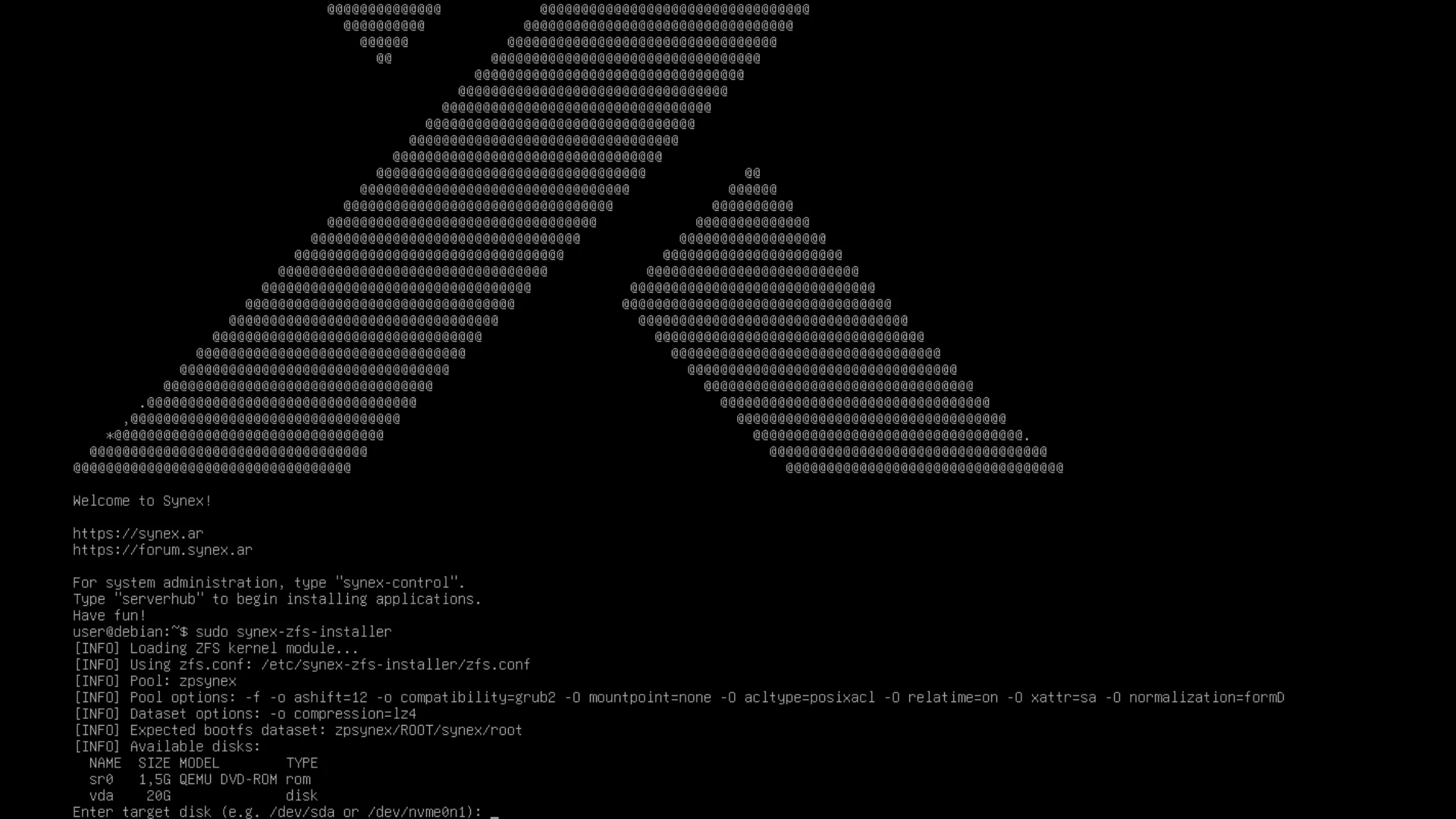
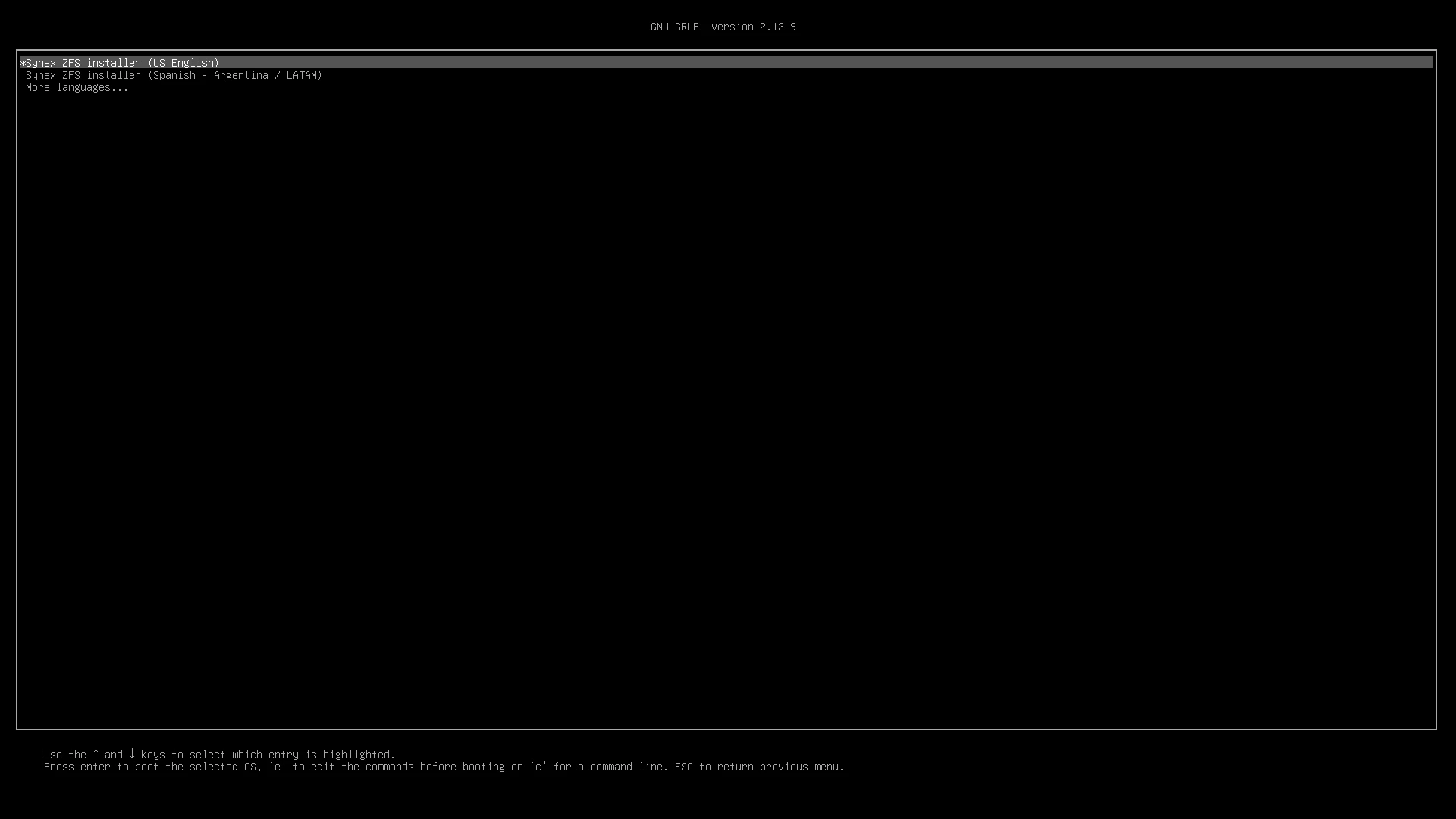
The installation process begins directly from the GRUB menu, where a new “Start ZFS installer” entry was incorporated with support for multiple languages and keyboard layouts. Once the live environment is started with the desired regional configuration, the user executes sudo synex-zfs-installer from the terminal to begin the installation process.
The installer automatically manages the creation of the complete storage structure: EFI and boot partitions according to the system’s boot mode (UEFI or Legacy), main ZFS pool, and server-optimized dataset hierarchy. The dataset structure includes separation of root, home, snapshots, and system cache and log directories, following server administration best practices.
An important feature is automatic system parameterization: the installer detects the regional configuration (language and keyboard layout) from the live environment and applies it to the installed system, eliminating post-installation configuration steps. The network is initially configured with DHCP, and the system creates only the root user, a decision consistent with server environments where user and permission configuration is performed according to each organization’s specific policies.
Storage architecture with ZFS
The dataset structure implemented by synex-zfs-installer is designed to maximize ZFS capabilities in server environments. The main pool (zpsynex) contains a root dataset (ROOT/synex) that acts as a container for system-specific datasets.
The separation into independent datasets for home (ROOT/synex/home), root (ROOT/synex/root), snapshots (ROOT/synex/snapshots), system cache (ROOT/synex/var-cache), and logs (ROOT/synex/var-log) allows applying snapshot, compression, and quota policies granularly. For example, logs can be configured with aggressive compression and limited retention, while user data maintains different policies.
This architecture facilitates advanced operations without downtime: instant snapshots of the complete system or specific components, data replication between servers, and quick rollback in case of problematic updates or erroneous configurations. All this without depending on external tools or complex post-installation configurations.
Coexistence with traditional Debian Installer
A fundamental design decision was to maintain the Debian Installer as the default option. Users who don’t require ZFS continue using the traditional installation workflow with ext4, xfs, or any other filesystem natively supported by d-i.
This duality is elegantly managed from GRUB: the “Start installer” entry initiates the traditional process, while “Start ZFS installer” boots the specialized environment. Both workflows are fully documented and supported, allowing administrators to choose according to each deployment’s specific needs.
Synex Control and ServerHub
This release continues to include Synex Control 1.0.0, the system administration suite developed for Synex Server, with its modules for user management, network configuration, and server services. ServerHub, the TUI framework for enterprise deployment automation, remains as a central component for rapid installation of LAMP stacks, Docker, Nginx Proxy Manager, Zabbix, Nextcloud, GLPI, and Odoo.
Both tools function independently of the chosen filesystem, allowing ZFS server management with the same familiar tools as in traditional installations.
System updates
This version includes all cumulative package updates available in Debian Trixie repositories up to the build date. Critical security patches for server environments are incorporated, along with the optimized kernel for the amd64 architecture.
Availability and download
Synex Server 13 R1 is available for immediate download. As always, we recommend verifying the checksums of downloaded images before creating the installation media.
Download Synex Server 13 R1 from here.