

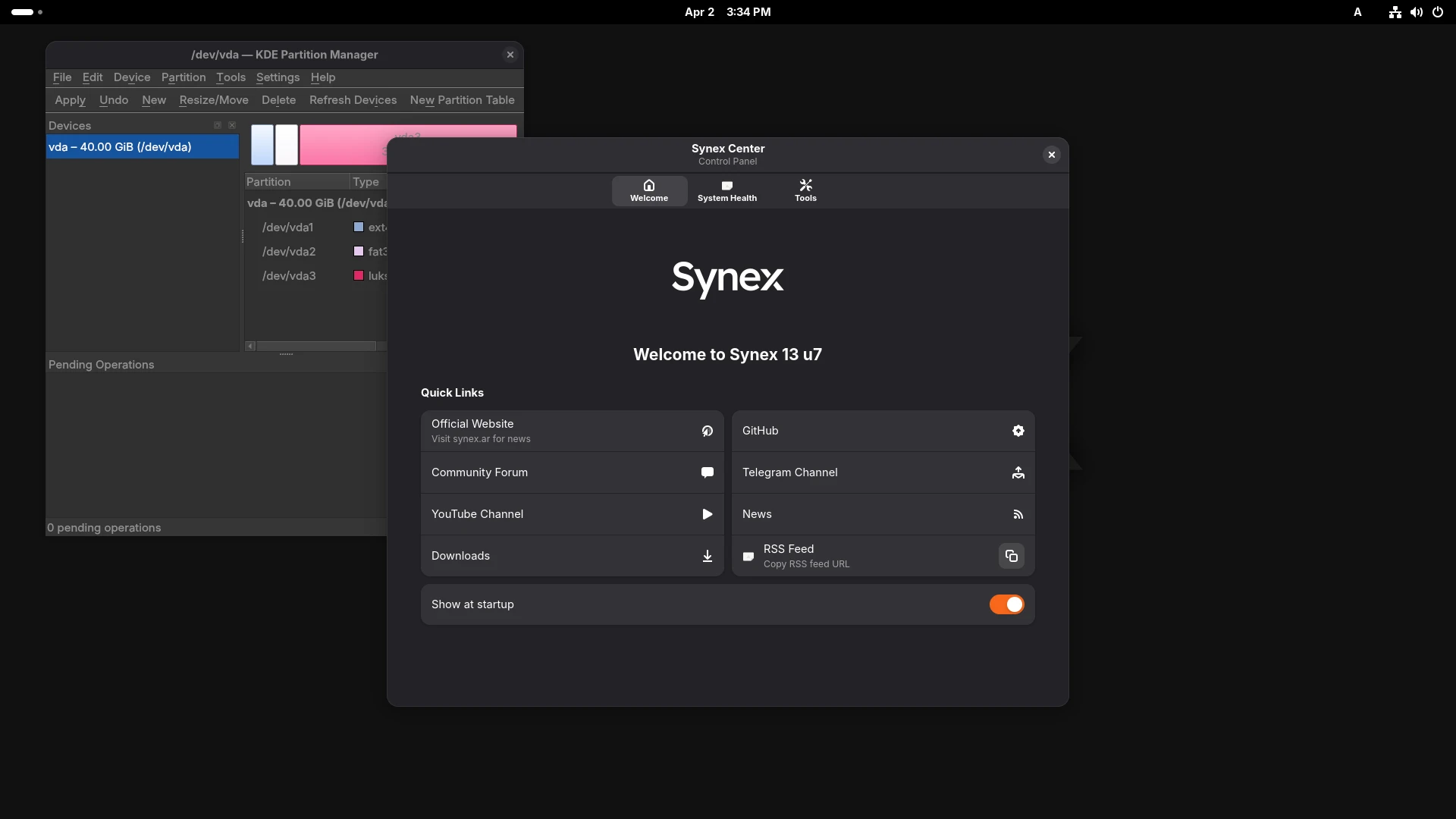
We are pleased to announce the release of Synex 13 u7, an update that consolidates the development work done in previous devel builds, bringing support for Asian languages from experimental to stable production status. This version also strengthens the live environment capabilities with advanced partitioning tools.
CJK support: from development to stability
Support for CJK languages (Chinese, Japanese, Korean) has been a recurring request from the community, particularly from Japanese users. Previous development builds validated the technical implementation; u7 incorporates it as a stable feature with intelligent detection that prevents system contamination for users who do not require these components.
Architecture by desktop environment
The implementation uses different input frameworks depending on the desktop environment, leveraging the native strengths of each:
fcitx5 for KDE Plasma, XFCE, MATE and LXDE: This framework works consistently and transparently in GTK and Qt environments. The integration is clean, without unnecessary dependencies, and behavior is predictable regardless of the environment.
ibus for GNOME: GNOME manages input natively through ibus, making this integration more straightforward and stable than any external framework. The user experience is superior in this specific environment.
IceWM is excluded from this implementation due to particularities in its architecture that do not allow an out-of-the-box integration comparable to the other editions.
Automatic detection during installation
The fundamental feature of this implementation is the intelligent behavior of the Calamares installer. During the installation process, the system detects the keyboard configuration chosen by the user and acts accordingly:
CJK keyboard selected (Japanese, Chinese, Korean): The complete CJK input stack is kept installed and configured. The user boots the installed system with everything working: fcitx5 or ibus active depending on the desktop environment, input engines (Mozc for Japanese, Pinyin for Chinese, Hangul for Korean) available, Noto CJK fonts installed, environment variables correctly configured.
Any other keyboard selected: The installer executes a shellprocess that completely purges the CJK stack. The fcitx5/ibus packages, input engines, CJK fonts, and related configurations are automatically removed from the installed system. A user who installs Synex in Spanish, German, French, or any non-Asian language will have zero trace of CJK components on their system.
This approach guarantees two things simultaneously: CJK users get a complete experience without manual configuration, and non-CJK users get a clean system without unnecessary components.
Available input engines
The implementation includes the most widely used engines for each language:
- Mozc (Japanese): Hiragana/katakana conversion, kanji prediction, updated dictionaries
- Pinyin (Chinese): Standard input method for simplified Chinese
- Hangul (Korean): Complete support for hangul input
The engines are pre-configured and ready to use. The user only needs to activate the appropriate input method via keyboard shortcut (typically Ctrl+Space) to start typing in their language.
Fonts and rendering
The fonts-noto-cjk package provides complete character coverage for all three languages, with consistent and legible rendering at all resolutions. These fonts are optimized for modern displays and ensure that complex characters display correctly.
KDE Partition Manager in the live environment
All Synex 13 editions now include KDE Partition Manager in the live environment, available before starting the installation. This tool provides significantly more advanced graphical partitioning capabilities than the options integrated in Calamares.
Use cases
KDE Partition Manager allows preparing complex storage configurations that Calamares can then use during installation:
LUKS2 on multiple partitions: create a LUKS2 container with its passphrase and prepare the layout before Calamares installs the system.
LVM over LUKS2: configure the complete structure, for example, a LUKS2 container, LVM physical volume inside the container, volume group, and logical volumes with specific sizes. Calamares can then install directly on this prepared structure.
Resizing existing partitions: adjust partition sizes of existing systems to make room for Synex, all from the live environment without external tools (this can also be done directly from Calamares).
Partition flag management: Configure specific flags (boot, esp, lvm, raid) that may be required by specialized configurations.
The availability of this tool in the live environment complements the installer’s capabilities, enabling configuration scenarios that previously required manual partitioning from terminal or external tools.
System updates
This version includes all cumulative package updates available in Debian Trixie repositories up to the build date. Security patches and bug fixes subsequent to version u6 are incorporated, along with the updated kernel corresponding to the amd64 architecture.
Availability and download
Synex 13 u7 is available for immediate download in its six desktop editions: KDE Plasma, GNOME, XFCE, MATE, LXDE, and IceWM. As always, we recommend verifying checksums of downloaded images before creating the installation media.
Users of previous Synex 13 versions can update their system through the standard package manager. CJK support is available only in new installations; existing systems do not incorporate these components automatically unless manually installed.
Final words
Support for Asian languages has been a development that required careful validation across multiple desktop environments. The final implementation prioritizes consistent user experience: it works without configuration for those who need it, and does not exist for those who do not require it.
As always, we invite you to join discussions at forum.synex.ar, report any issues you encounter, and share your experiences with Synex 13 u7.
Download Synex 13 u7 from here.