

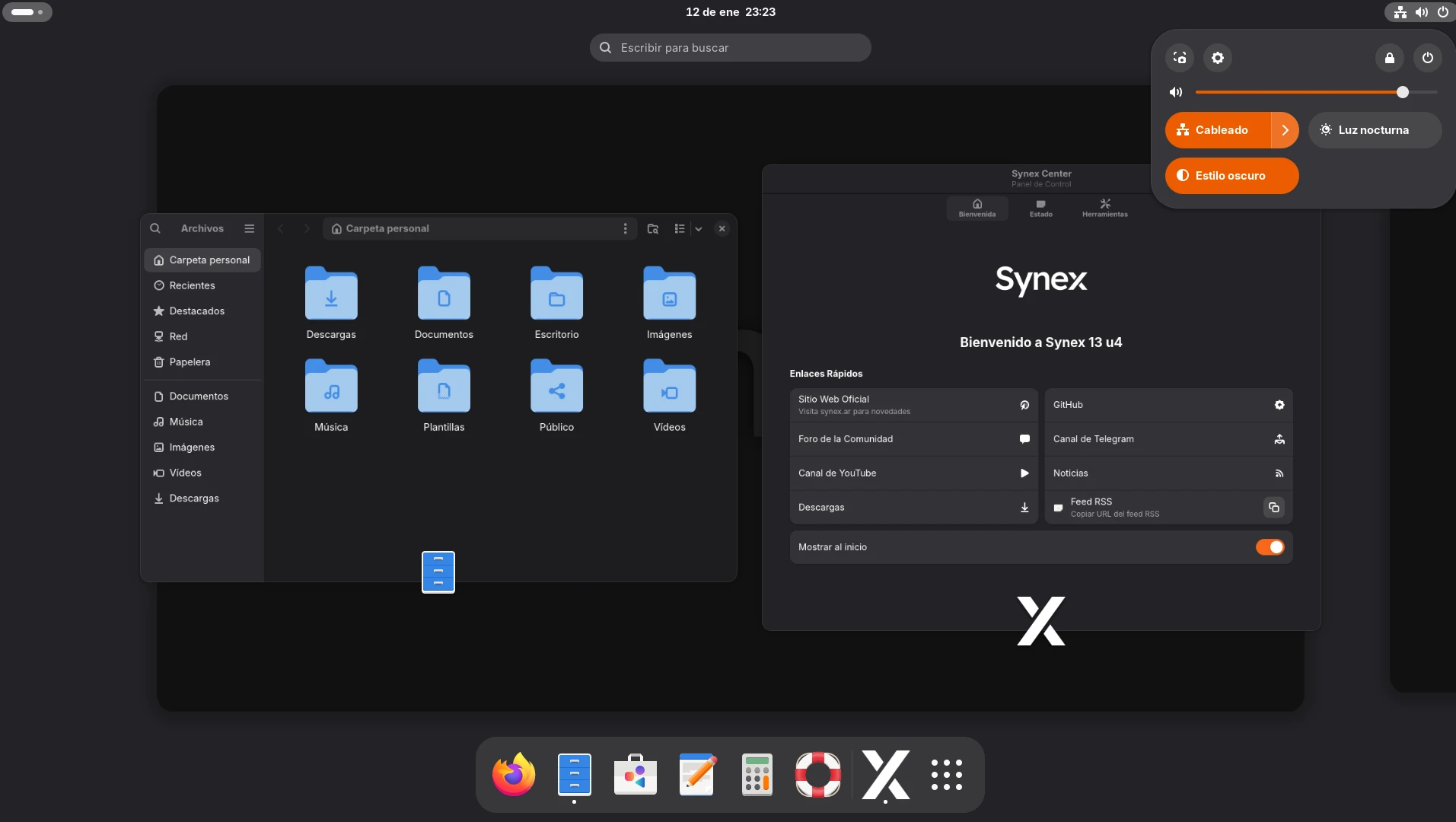
We are pleased to announce the release of Synex 13 u4, an update that marks a turning point for the project. This version not only introduces two new desktop editions that complete our portfolio, but also reinforces our commitment to comprehensive hardware management and visual coherence throughout the distribution.
Two new editions: MATE and IceWM
The most notable feature of this version is the incorporation of two additional editions that cover specific needs of users with different profiles.
Synex MATE positions itself as a balanced alternative between full editions (GNOME/KDE) and ultra-lightweight ones. Based on MATE Desktop Environment, this edition combines the familiarity of the classic desktop paradigm initiated with GNOME 2 with moderate resource consumption. MATE was chosen for representing the continuity of the traditional environment: conventional application menu, configurable panel, and workflow proven over decades. Ideal for systems with 2-4GB RAM that require complete functionality without system overhead.
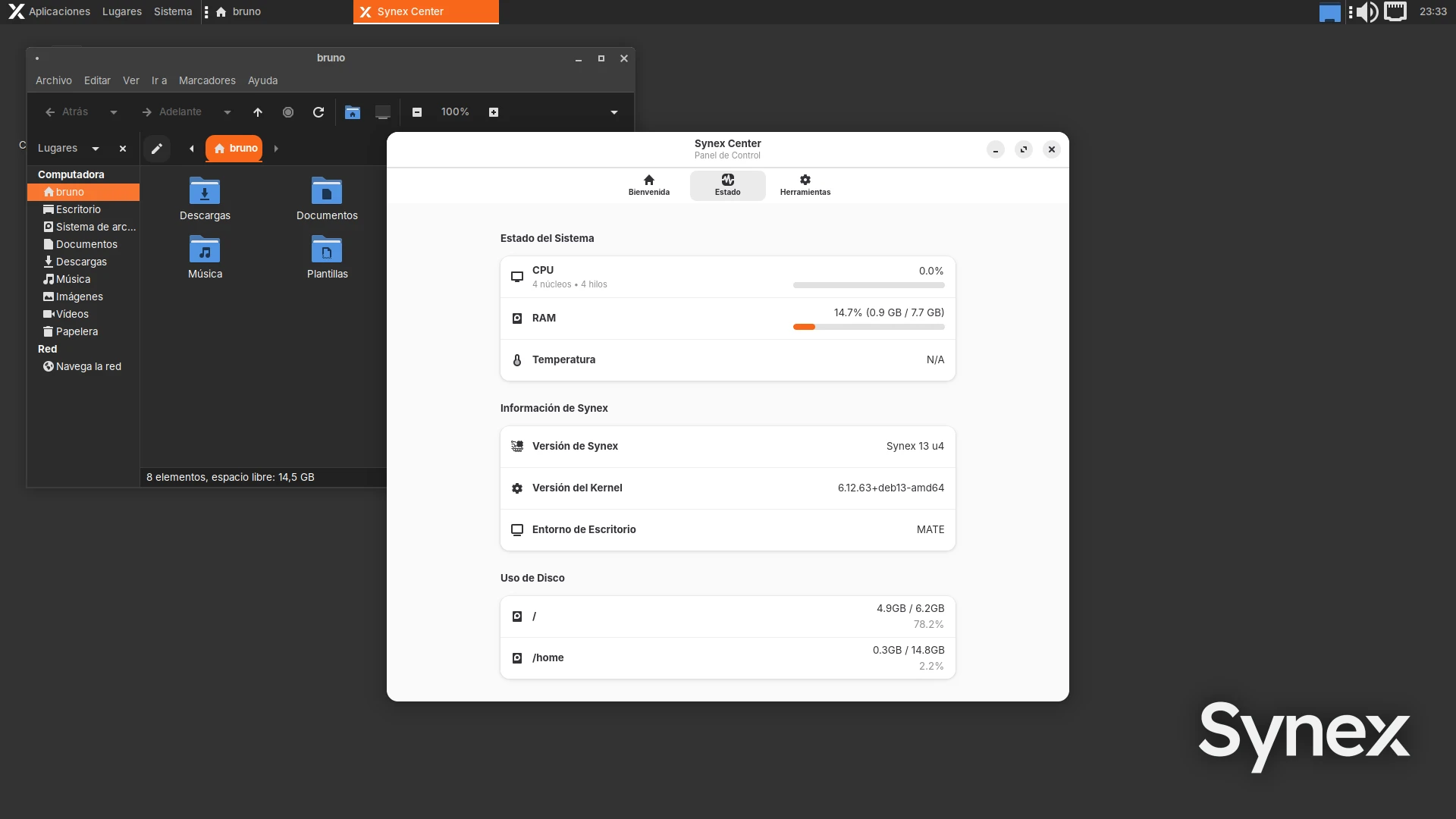
Synex IceWM completes the portfolio as the ultra-lightweight edition oriented towards system recovery and equipment with extremely limited resources. It uses IceWM as window manager, consumes approximately 400MB of RAM, and includes a properly maintained environment, with configuration options, as well as network and sound applets to achieve a better user experience.

With these additions, Synex now offers six desktop editions: GNOME (complete/modern), KDE (complete/customizable), MATE (classic/efficient), XFCE (lightweight/flexible), LXDE (lightweight/traditional), and IceWM (minimal/low resources).
Synex Center: integrated firmware management
Synex Center incorporates a new tool in its utilities menu: the firmware update assistant through synex-firmware-helper. This application allows detecting and updating device firmware directly from the graphical environment, without needing to resort to the command line.
The assistant automatically detects hardware requiring firmware updates, presents detailed information about each device and available updates, and executes the update process with visual progress monitoring. The interface is completely bilingual (Spanish/English) with automatic system language detection.
This integration significantly simplifies hardware maintenance, especially on equipment with components such as WiFi cards, Bluetooth, RAID controllers, or storage devices that benefit from periodic firmware updates to improve stability and performance.

synex-nvidia-helper: improvements in legacy mode and Wayland support in Gnome
The NVIDIA driver installation assistant receives important updates in both its graphical interface and command-line version. The improvements focus on the legacy installation workflow and DKMS integration.
DKMS integration is now more robust: the assistant automatically verifies the presence of existing DKMS modules, prevents conflicts during kernel updates, and logs the entire compilation process in detailed logs to facilitate diagnosis in case of problems. This improvement is particularly relevant for users with legacy hardware who depend on specific driver versions.
A significant novelty is the automatic detection of GNOME with GDM3 to enable NVIDIA Wayland support when using legacy mode. The assistant now automatically configures the nvidia-drm modeset=1 parameter and disables the 61-gdm.rules rule that traditionally forced X11 on installations with NVIDIA drivers. This allows GNOME users to take advantage of Wayland sessions even with hardware requiring legacy drivers.
Unified visual branding
This version consolidates the visual identity work across all editions. Each of the six desktop variants now presents coherent visual elements that reinforce Synex’s identity without compromising the distinctive characteristics of each environment.
Unified elements include icon selection with institutional orange accents (#f8671a), Inter typography in user interfaces, dark themes configured by default respecting the capabilities of each desktop, and official Synex wallpapers available in all editions.
This branding work is not merely aesthetic: it ensures that users migrating between editions or working on multiple computers with different variants immediately recognize the Synex environment, regardless of the chosen desktop.
System updates
This version includes all cumulative package updates available in Debian Trixie repositories up to the build date. Security patches and bug fixes subsequent to version u3 are incorporated, along with the updated kernel corresponding to the amd64 architecture.
Availability and download
Synex 13 u4 is available for immediate download in its six desktop editions: KDE Plasma, GNOME, XFCE, MATE, LXDE, and IceWM. As always, we recommend verifying checksums of downloaded images before creating the installation media.
Users of previous Synex 13 versions can update their system through the standard package manager. The new tools (synex-firmware-helper and the updated version of synex-nvidia-helper) are available in our official repositories, with automatic installation when used from Synex Center.
Acknowledgments
We especially thank the suggestions that inspired the development of MATE and IceWM editions, as well as the request for an integrated tool for firmware management. Continuous collaboration with users is fundamental to the project’s evolution.
As always, we invite you to join discussions at forum.synex.ar, report any issues you encounter, and share your experiences with Synex 13 u4.
Download Synex 13 u4 from here.