

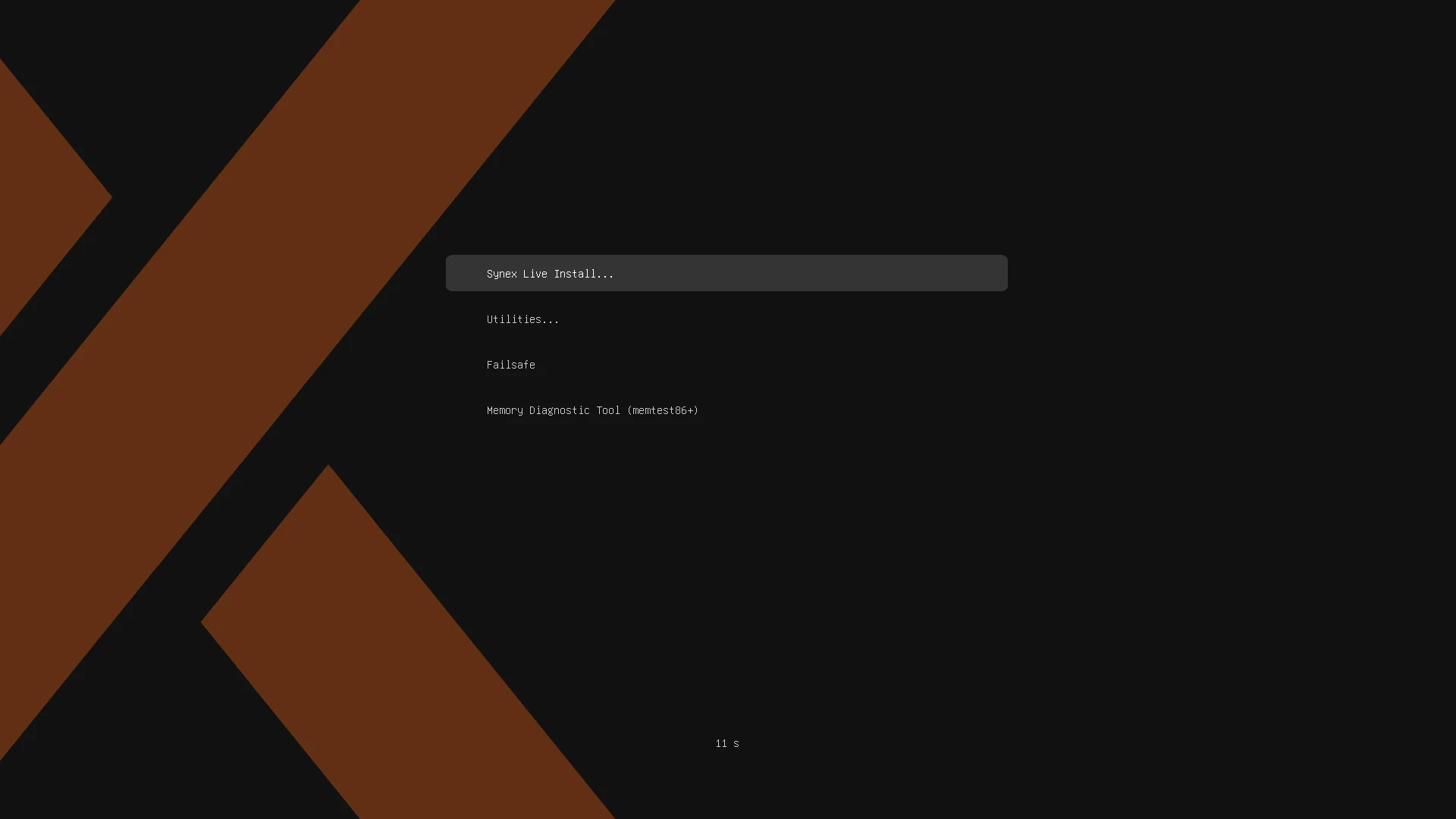
We are pleased to announce the release of Synex 13 u12. This update concentrates its work on a single front: system recovery. Synex Snapshots reaches the stable branch in version 0.5.0, with native ZFS support alongside Btrfs, integration with the boot loader through two new tools, and an integration package for ZFSBootMenu. The installer accompanies these changes with adjustments to its partitioning scheme.
Synex Snapshots 0.5.0: Btrfs, ZFS and recovery from boot
When we released Synex Semi-rolling 26.08.17 we introduced Synex Snapshots 0.1.0 for the first time, then focused exclusively on Btrfs. In that announcement we also explained a decision that forms part of the project's development model: new tools arrive first on Semi-rolling, accumulate testing and real-world use and, once they reach the expected level of maturity, move on to Synex stable.
After several days of work, Synex Snapshots 0.5.0 arrives in Synex 13 u12 and the change from that first version is considerable. What began as an application to create and restore Btrfs snapshots evolved into a recovery layer integrated into the system, with independent implementations for Btrfs and ZFS, automation, recovery from the boot loader, and specific mechanisms for working safely even when the installed system can no longer start normally.
The application now detects the filesystem used by the root system at startup and routes execution to the corresponding backend. Btrfs and ZFS share the same application from the user's point of view, but keep separate implementations underneath: ZFS operations use its native mechanisms and do not attempt to artificially reproduce the way Btrfs works.
Btrfs: automation and Snapshot Boot from GRUB
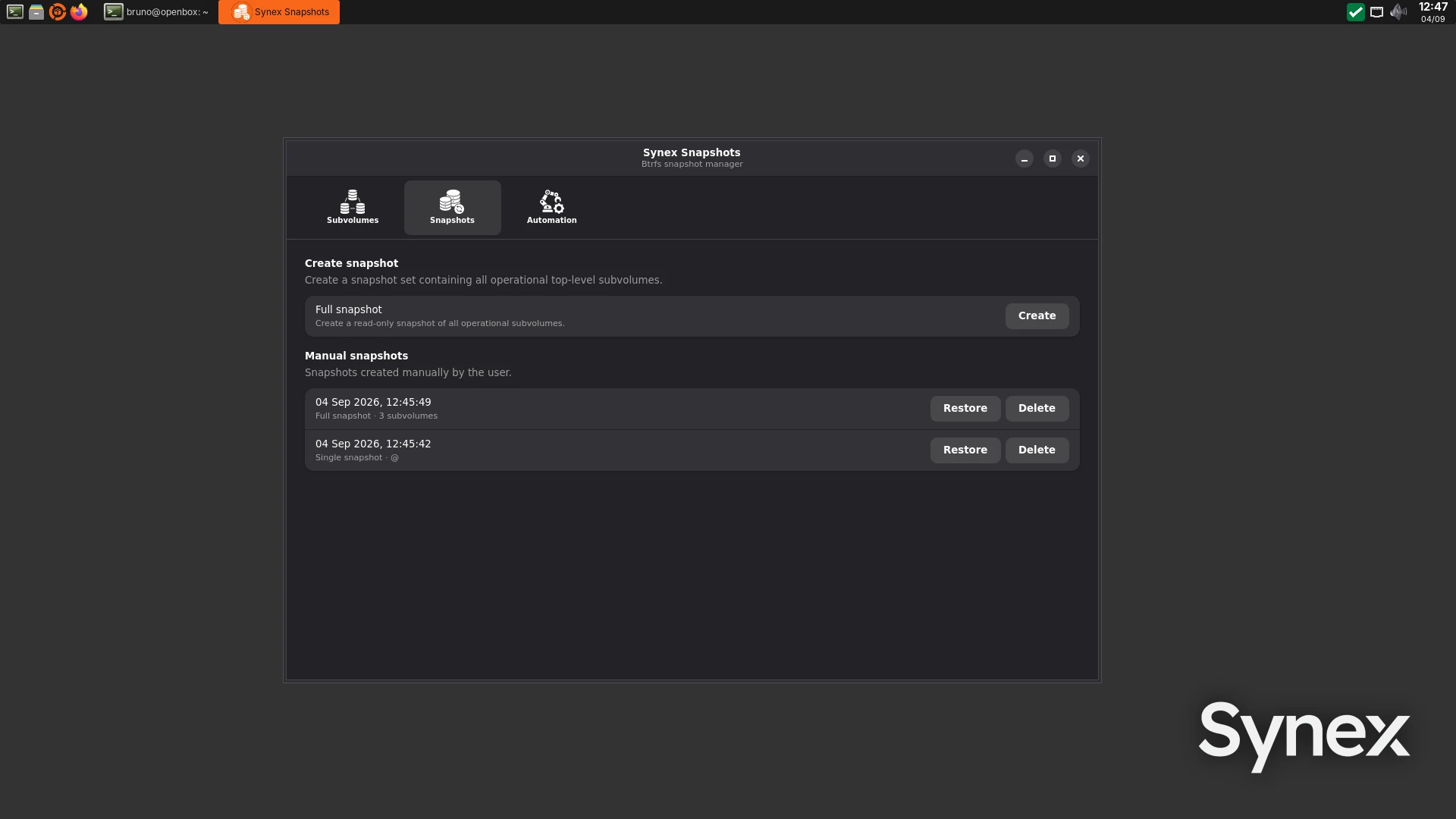
Version 0.1.0 already allowed the creation of Single snapshots, corresponding to an individual subvolume, and Full ones, which represent the set of managed operational subvolumes. It also incorporated the safe restoration model with preflight validation, automatic creation of a Pre-restore state, transactional replacement of subvolumes and a mandatory reboot after restoring.
On that foundation we have now added snapshot automation, with configurable frequency and retention. Automatic snapshots are Single snapshots of the root subvolume: when an update turns out to be problematic, what matters is being able to recover the system without also rolling back the user's current data. Full snapshots remain available as a manual operation when the goal is to preserve the combined state of the system.
But one of the most important changes is the incorporation of grub-btrfs into the Synex repositories and its integration with Synex Snapshots.
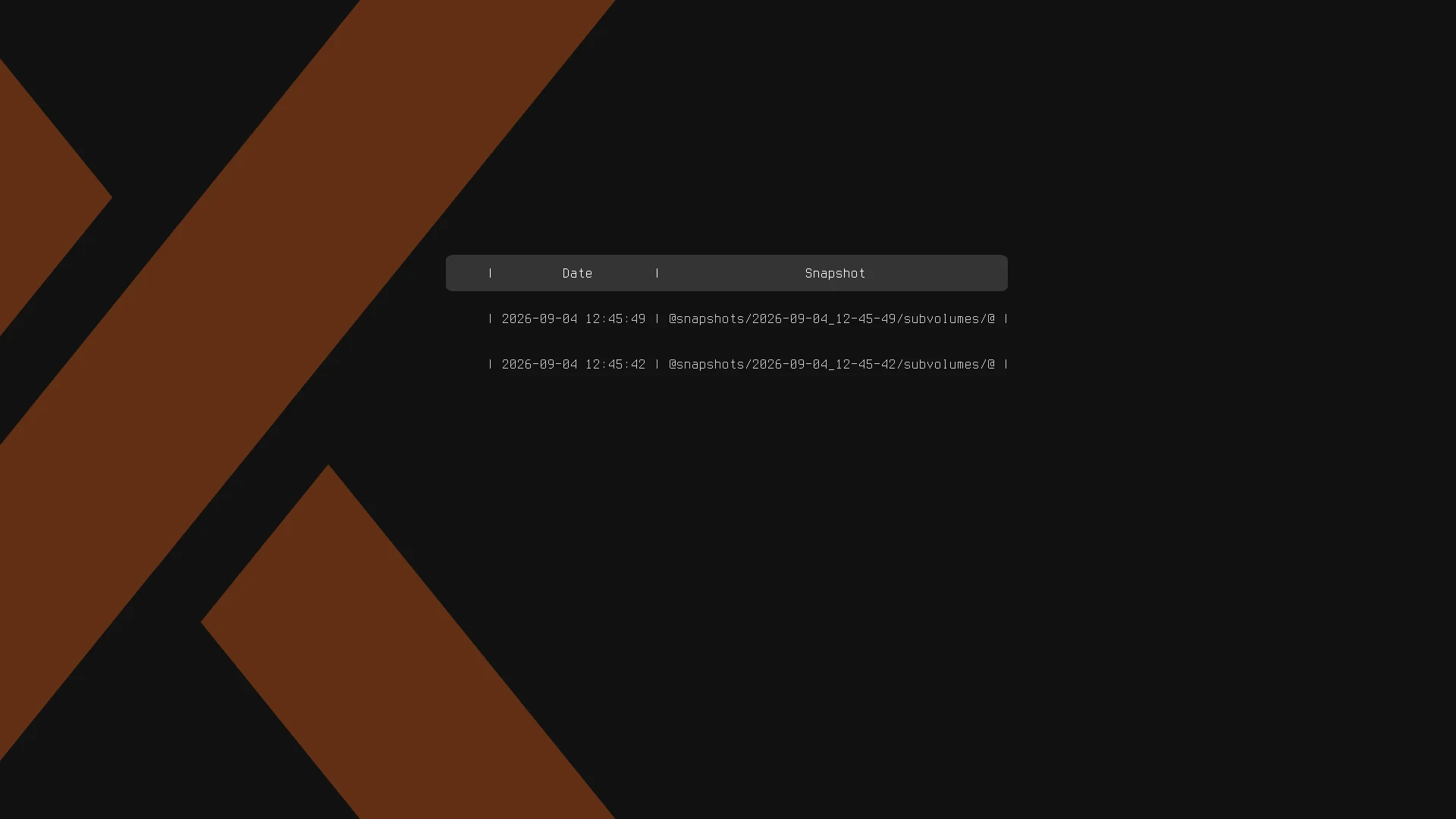
Snapshots containing the root system become available directly from GRUB, which makes it possible to start an earlier state even when the normal installation has stopped booting. It is not only a matter of being able to inspect it: once the snapshot has been started, Synex Snapshots recognises that it is running in Snapshot Boot mode, identifies the canonical subvolumes of the installed system and allows restoring directly onto them.
This enables recovery scenarios far more severe than a simple configuration change. During development we tested restorations after deleting critical system components, including /etc, and adapted the process so that recovery can continue even when the damaged system no longer has a usable /etc/fstab.
The behaviour of Snapshot Boot also respects the type of snapshot selected. A Single snapshot of the root uses the current /home and /var/log, while a Full one can boot the subvolumes included in the snapshot itself through OverlayFS, adding a temporary write layer without modifying the original read-only snapshots. This model makes it possible to start a complete historical state and, from that same session, decide whether to restore it.
Protection of /boot is also maintained when it resides on a separate ext4 partition. In those layouts Synex Snapshots preserves its content in a validated .tar.zst archive and incorporates it into the recovery process, avoiding the need to repair the boot afterwards from a live system and a chroot.
Finally, Synex Snapshots avoids creating new snapshots while the system is running from a Snapshot Boot. Recovery operations remain available, but the tool deliberately distinguishes between the canonical system and a temporary recovery environment.
ZFS is no longer just an installation option
Synex 13 already offered ZFS as a filesystem from the installer. With u12 we take the next step: ZFS now also integrates with the Synex snapshot and recovery system.
Synex Snapshots dynamically detects the running root dataset and, from it, discovers the tree of managed datasets. It does not depend on writing fixed dataset names into the application, which allows the interface to adapt to the actual layout of the system.
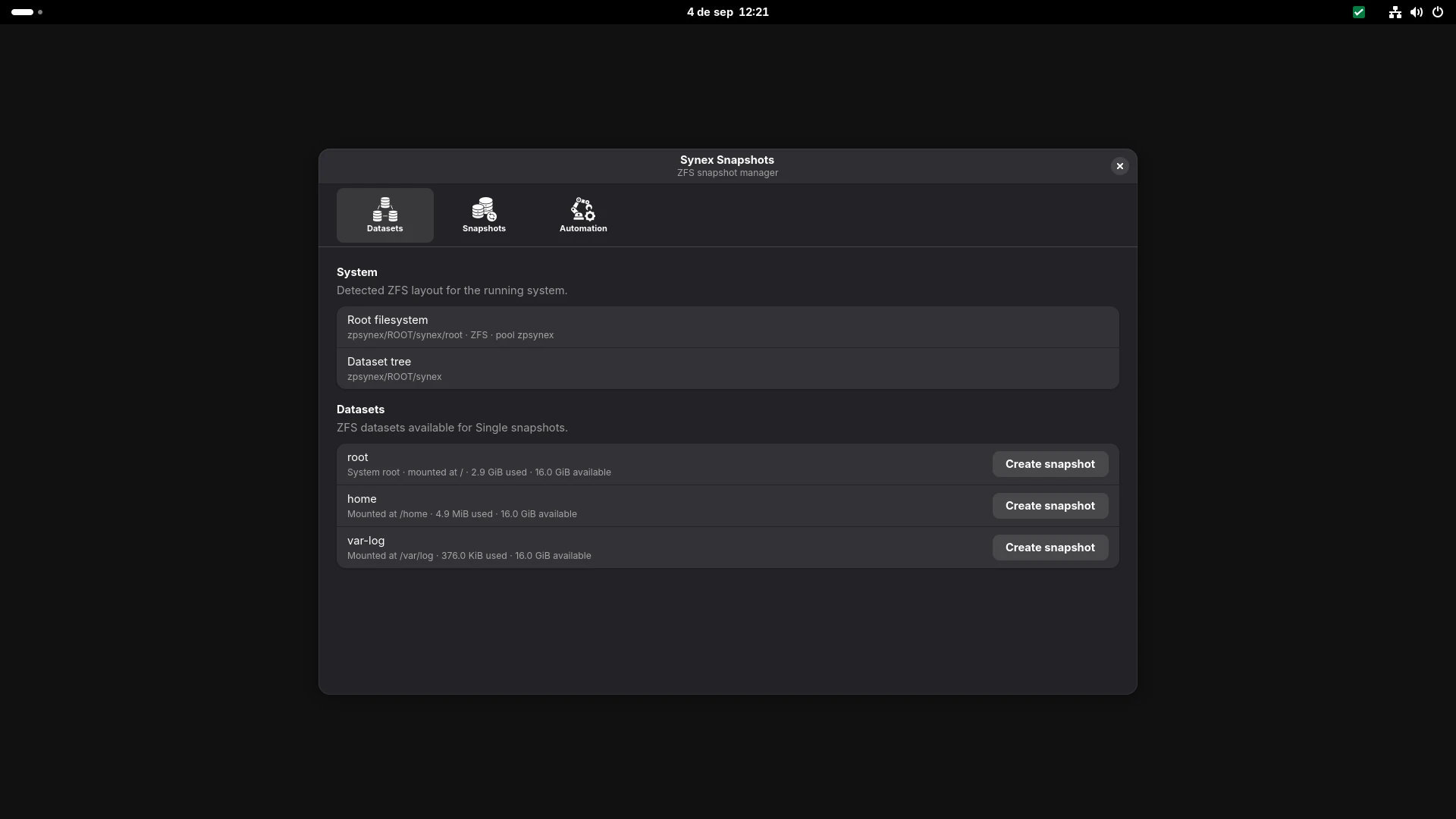
The snapshots created by Synex are native ZFS snapshots and store their metadata through ZFS user properties, including their managed state, purpose, scope, member, creation date and identifier. The interface organises them between manual snapshots, automatic ones, and those created by other tools or directly by the administrator.
Manual creation works with Single snapshots per dataset. Unlike Btrfs, we did not incorporate recursive Full snapshots into the local ZFS flow: we prefer to preserve the natural properties of its architecture and reserve recursive operations for future replication and send/receive scenarios.
Restoration uses zfs rollback directly. When the selected snapshot is a historical one, Synex Snapshots first detects whether there are later snapshots or bookmarks that ZFS will have to destroy in order to return to that point. Only in that case does it use a recursive rollback, and it presents beforehand an explicit warning indicating what subsequent history will be lost.
When the restoration affects the root dataset, rebooting becomes mandatory and a second restoration is blocked until that reboot takes place. The restoration of a child dataset, by contrast, can be completed without imposing a system reboot.
We also incorporated manual management of external ZFS snapshots. Snapshots that were not created by Synex remain clearly separated in the interface and do not enter the Automation or retention policies, but they can be restored or deleted manually. The intention is to coexist properly with snapshots created from the console, from ZFSBootMenu or from other tools, without appropriating them or modifying their metadata.
Deliberate deletion of clones
ZFS additionally introduces a difficulty that does not exist in the same way in Btrfs: a snapshot can have dependent clones, and deleting it may mean destroying derived datasets as well.
Synex Snapshots analyses those dependencies before carrying out a deletion. If clones exist, the interface shows which ones will be affected, calculates the space ZFS estimates it will reclaim, and requires a specific confirmation before performing a recursive destruction.
The dependency is checked again immediately before executing the operation. If the state has changed with respect to what the user confirmed, or if the deletion could affect the currently running root, the operation is rejected. We do not use forced destruction to silently resolve dependencies.
This logic applies both to snapshots managed by Synex and to external snapshots managed manually. The separation between the two is preserved; the safety guarantees of the operation are not.
Automation comes to ZFS as well
The ZFS backend incorporates its own automation system, independent of the one already in place for Btrfs.
Each dataset can have its own policy, and child datasets can be enabled individually or inherit the configuration defined for the root. Hourly, Daily, Weekly and Monthly policies are available, along with a Frequent mode with intervals configurable in minutes or hours.
Retention is applied independently per dataset and only to automatic snapshots; a manual snapshot is never deleted by the Automation policy.
Execution takes place through dedicated systemd units and contemplates recovery after periods of inactivity, avoids concurrent runs and isolates errors per dataset: a failure on one member does not prevent the remaining ones from being processed correctly.
We also developed a dry-run mode that makes it possible to calculate the state of the policies, upcoming expirations and planned deletions without modifying ZFS.
And, as with Btrfs, there is an additional protection when we are not running the canonical system. If the current root is a ZFS clone derived from a snapshot, Synex Snapshots pauses automatic creation and retention until returning to the normal root dataset. The application continues to allow recovery operations that are safe, but avoids generating new history from a temporary environment.
grub-zfs: ZFS snapshots directly from GRUB
The integration with ZFS does not end inside Synex Snapshots.
During this development we also created grub-zfs, a new Synex tool that integrates ZFS bootable states directly into GRUB.
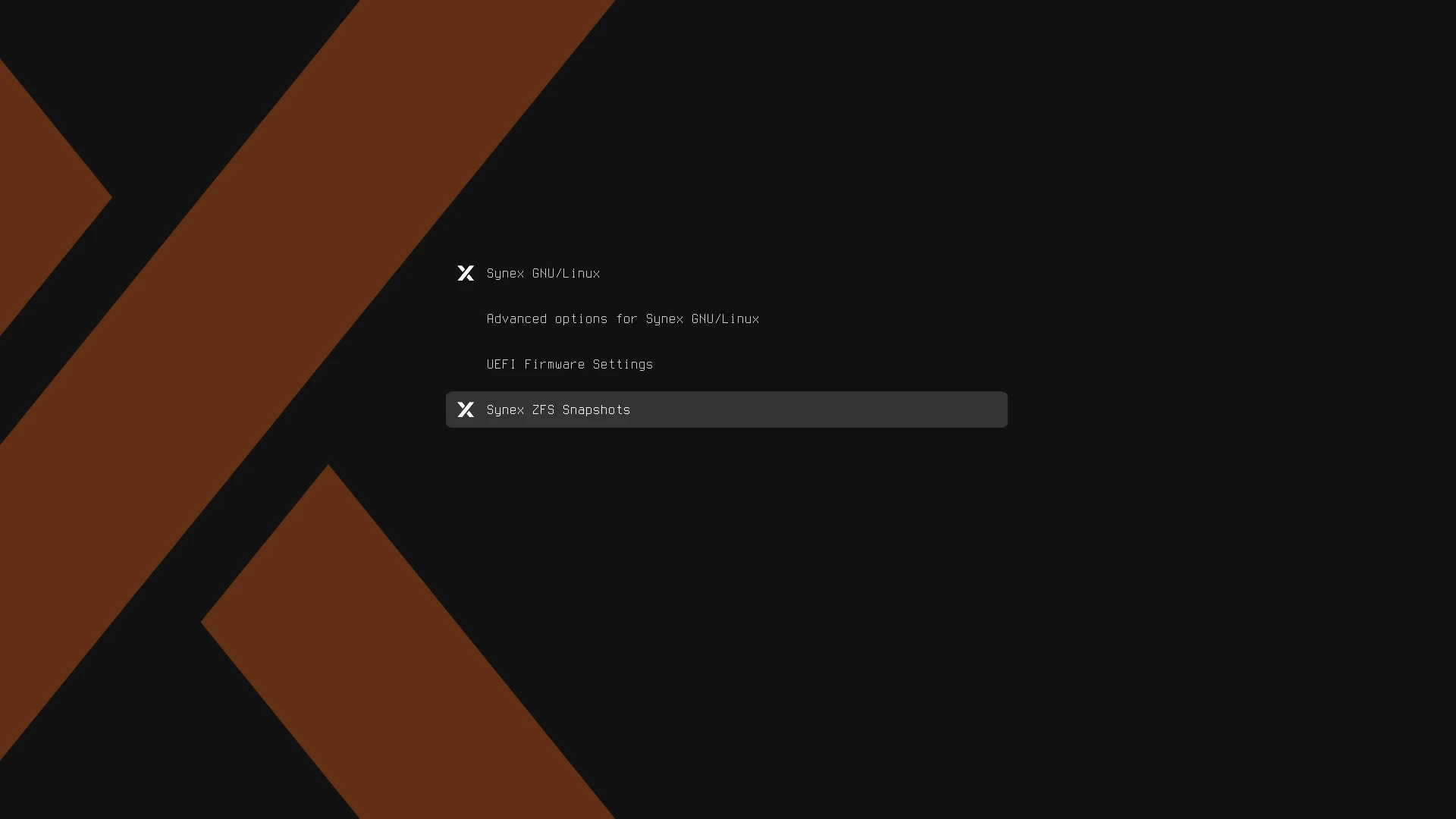
The challenge was different from the Btrfs one. OpenZFS already provides zfs-initramfs and, when a snapshot is booted, its native behaviour consists of creating an RW clone derived from that snapshot. We decided to preserve that behaviour rather than replace it.
grub-zfs organises three clearly differentiated types of entries into a single submenu:
[Synex]identifies snapshots managed by Synex Snapshots.[External]identifies root snapshots created outside Synex that meet the conditions necessary to boot.[RW Clone]identifies the writable clones generated from snapshots.
The difference of this last group turns out to be particularly useful. If a user boots a snapshot, ZFS creates its RW clone and allows working on it. When returning later to the canonical system, grub-zfs can detect that clone and offer it as an independent entry. By booting the clone directly, the changes made there are preserved.
This makes it possible to use a snapshot to quickly create an isolated test environment and then keep entering that same RW state for as long as the clone exists.
grub-zfs loads for each object its coherent set of kernel, initrd and modules, instead of assuming that all states necessarily share the kernel of the currently installed system.
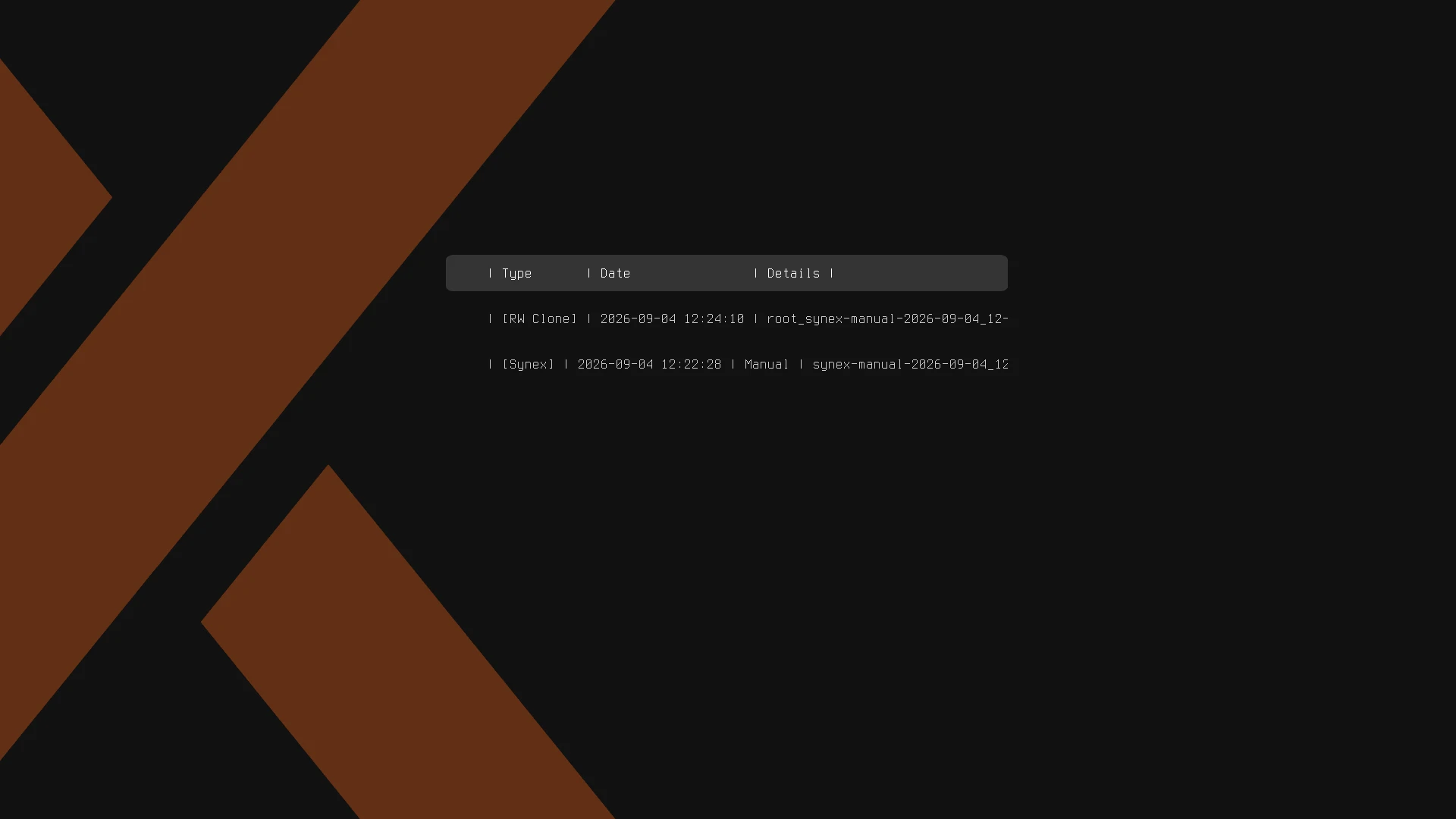
At the same time, we deliberately maintained a limit: grub-zfs does not aim to become a complete Boot Environment manager. We did not incorporate operations such as Promote or Duplicate, nor complex administration of clone trees. The development made it clearer precisely where the integrated recovery of Synex ends and where it is preferable to use a specialised tool. The u12 roadmap defined that separation expressly.
ZFSBootMenu integrated into Synex
And for that specialised layer we finally incorporated synex-zfsbootmenu.
ZFSBootMenu is a specific solution for managing and booting Boot Environments on ZFS. Rather than trying to reproduce inside Synex Snapshots everything this project already does correctly, we developed an integration package to use it easily in Synex.
The installation is deliberately conservative. synex-zfsbootmenu works exclusively on ZFS systems booted through UEFI, obtains the pinned official image of ZFSBootMenu 3.1.0 directly from upstream, mandatorily verifies its SHA-256 before using it, and keeps a verified local copy for future reinstallations.
Once validated, it installs the image on the EFI partition, creates or reuses an NVRAM entry named ZFSBootMenu and places it first in the boot order.
And there is an important decision here: it does not replace or remove GRUB.
The existing Synex entry remains intact as a fallback. The result is:
UEFI├── ZFSBootMenu└── Synex / GRUB
If the package is removed, it withdraws its NVRAM entry and the deployed EFI, leaving Synex once again as the normal boot option. A conventional removal keeps the verified local copy so that a later reinstallation does not need to download the image again; a purge also deletes that file.
Nor does the package modify bootfs, org.zfsbootmenu properties, or transform existing datasets. This was a deliberate decision: testing showed that the ZFS layout generated by Synex can already be interpreted by ZFSBootMenu without special preparation.
Three layers, each doing its job
With u12 we ended up defining an architecture we prefer to trying to solve everything within a single application.
- Synex Snapshots manages snapshots, restoration and automation.
- grub-btrfs and grub-zfs integrate everyday recovery directly into GRUB.
- ZFSBootMenu remains available for those who want more advanced administration of Boot Environments.
The idea behind the three layers is the same: to simplify recovery without hiding or replacing the native mechanisms of each filesystem.
Synex Snapshots does not aim to turn snapshots into backups —they continue to live on the same storage, and a physical failure still requires a real backup strategy— but it does aim to make returning to an earlier state stop being an operation reserved for those who know Btrfs, ZFS, initramfs or GRUB commands by heart.
In practice, Synex 13 u12 turns that idea into one of the largest changes we have incorporated into the system so far.
The installer accompanies the changes
calamares-settings-synex moves to version 1.0.30 with adjustments that derive directly from the work on snapshots.
The change with the widest reach is in the automatic partitioning scheme: the separate /boot partition was removed. That layout existed to support installations encrypted with LUKS2, given that GRUB cannot read a LUKS2 volume directly, but it imposed an additional partition on all installations in order to cover a minority case. With /boot inside the root system, root snapshots on Btrfs and ZFS also cover /boot without needing to treat it separately.
As a consequence, LUKS2 encryption now takes place from manual partitioning. Anyone who needs an installation encrypted with LUKS2 can create their own ext4 /boot partition there, which is the scheme that configuration requires in any case. Layouts with a separate /boot remain contemplated by Synex Snapshots, which preserves its content in a validated compressed archive during recovery.
The installer additionally incorporates processes that adjust the resulting system to the chosen filesystem. If the installation does not use ZFS, the ZFS packages are removed along with their orphaned dependencies; if it does not use Btrfs, grub-btrfs is removed; and if it uses neither, Synex Snapshots is removed as well. An installation on ext4 or XFS therefore does not carry tools it cannot make use of. On ZFS pools created by the installer, autotrim is enabled.
System updates
This version includes all cumulative package updates available in the Debian Trixie repositories up to the build date, with Linux kernel 6.12.107, systemd 257.13, OpenSSL 3.5.7, ZFS 2.3.9, btrfs-progs 6.14, Mesa 25.0.7, PipeWire 1.4.2 with WirePlumber 0.5.8, Firefox ESR 140.15.0 and Flatpak 1.16.6. Installation is handled by Calamares 3.3.14 with calamares-settings-synex 1.0.30, and all editions include Synex Package Manager 1.2.3, Synex Snapshots 0.5.0, grub-btrfs 4.14+git20260805-1synex1 and grub-zfs 0.1.0.
By edition: KDE Plasma 6.3.6 with KDE Applications 25.04.3; GNOME 48.7 with GDM3 48.0 and Nautilus 48.3; XFCE 4.20, with xfce4-panel 4.20.4, xfce4-session 4.20.2, xfwm4 4.20.0 and Thunar 4.20.2; MATE, with mate-panel 1.27.1, Marco 1.26.2 and Caja 1.26.4; LXDE 13.0, with lxpanel 0.11.1, lxsession 0.5.6 and PCManFM 1.4.0; IceWM 3.7.4; Openbox 3.6.1 with tint2 17.0.1; and COSMIC Epoch 1.3.0.
A note on the package set
While preparing these images we reviewed the package set of each edition in detail and found that the wallpaper package used in the COSMIC edition declared GNOME Shell as a hard dependency, pulling in through it a set of GNOME components that this edition does not use. It was replaced by a unified wallpaper package without that dependency, which reduces the size of the installed set on COSMIC.
That work also exposed an implicit dependency of the Calamares launcher, which used xhost for access control to the graphical server and received it indirectly through one of the withdrawn packages. The correction runs Calamares as a native Wayland client on COSMIC, eliminating that need. The change has already been developed and tested, and will be distributed with the next update of the package.
Availability
Synex 13 u12 is available for immediate download in the KDE Plasma, GNOME, XFCE, MATE, LXDE, IceWM, Openbox and COSMIC editions. As always, we recommend verifying the checksums of the downloaded images before creating the installation medium.
Download Synex 13 u12 from here.