

SYNEX SERVER
Enterprise-grade storage, ready to use
Guided installation, simplified administration, and a solid foundation.
Key features
Serious storage
ZFS, ext4, XFS or BTRFS. From a single disk to RAID arrays, encrypted or not.
Guided installation
From partitioning to first boot, with no manual steps.
Straightforward administration
Users, network, services, and firewall from a single tool.
Stable foundation
Built to run without surprises, for a long time.
Storage for every need
Four file systems, each with its own strengths. Choose based on your use case.
ZFS
Maximum integrity and redundancy for critical data.
Capabilities:
- Native AES-256-GCM encryption
- RAIDZ1/2/3, mirror, and striped mirror topologies
- Snapshots and corruption detection
- Multi-disk boot redundancy
EXT4
The proven standard, now with RAID and encryption.
Capabilities:
- Software RAID (0/1/5/6/10)
- Maximum compatibility and maturity
- LVM for post-installation flexibility
- Optional LUKS2 encryption
XFS
High performance for large data volumes.
Capabilities:
- Software RAID (0/1/5/6/10)
- Optimized for large files
- LVM for post-installation flexibility
- Optional LUKS2 encryption
BTRFS
Snapshots and compression, with modern flexibility.
Capabilities:
- Configurable subvolumes
- zstd compression
- Native snapshots
- Optional LUKS2 encryption
Tools built for Synex Server
From first boot to daily administration, everything covered.
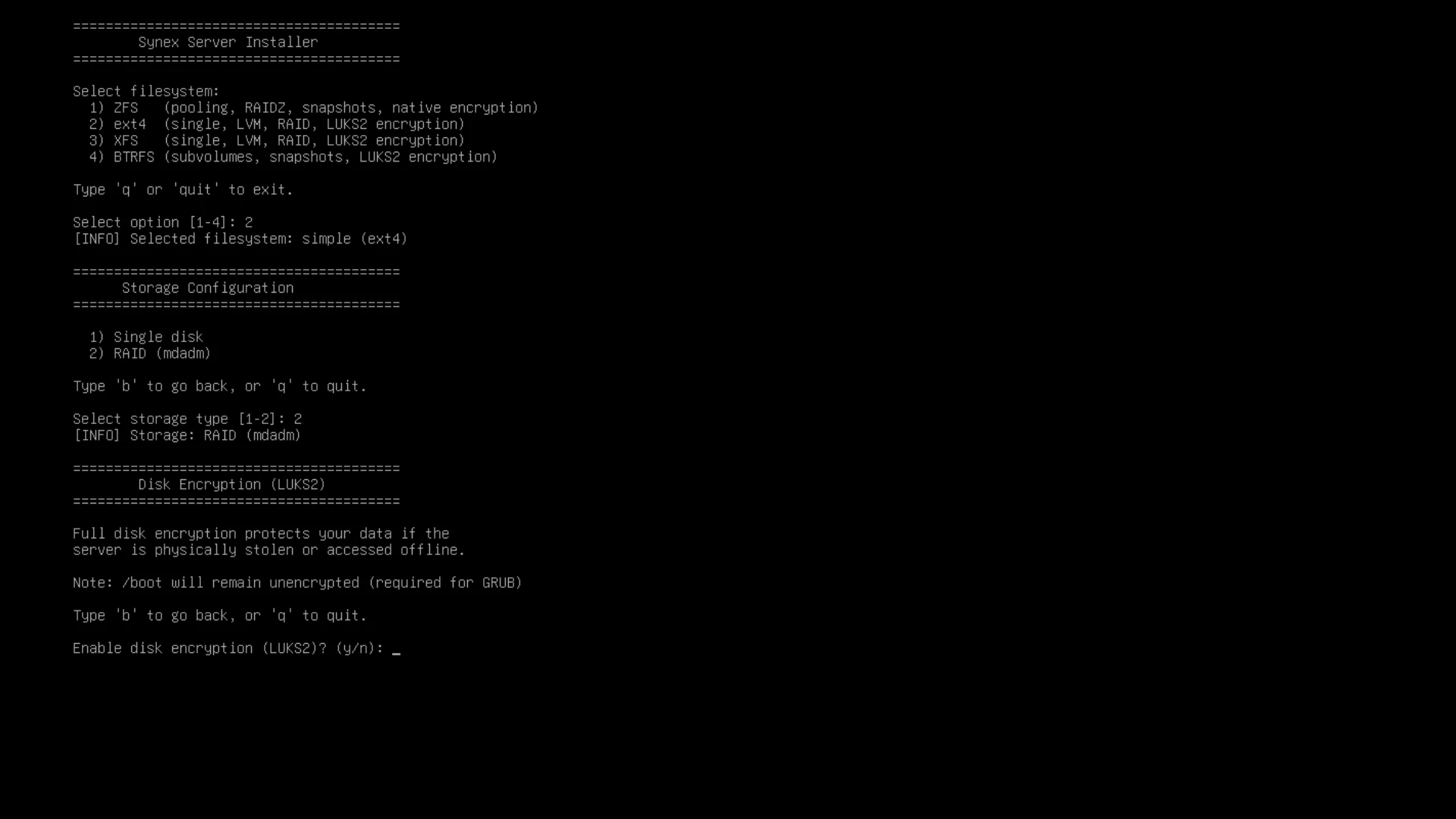
Synex Installer
Synex Installer is the TUI installer for Synex Server. It replaces the traditional Debian installer with a guided flow that takes you from partitioning to first boot, with no manual steps or post-installation setup.
It supports every Synex Server file system with its encryption and RAID options, validating each step so the installation ends up production-ready.
Key capabilities:
- Four file systems: ZFS, ext4, XFS, and BTRFS, each with its own topologies and options.
- Encryption and RAID: native encryption on ZFS, LUKS2 on the rest, and software RAID (mdadm) on ext4 and XFS.
- Guided setup: network (DHCP or static IP), hostname, timezone, and user, all validated step by step.
- UEFI and legacy BIOS: automatic detection and generation of fstab and crypttab as needed.
- Clean install: automatic cleanup of live components and orphaned RAID metadata before installing.
Boot redundancy for ZFS
On multi-disk ZFS installations, Synex replicates /boot and the EFI partition across every disk in the pool. If the primary disk fails, the system boots from any of the others — ZFS data redundancy, finally with boot redundancy.
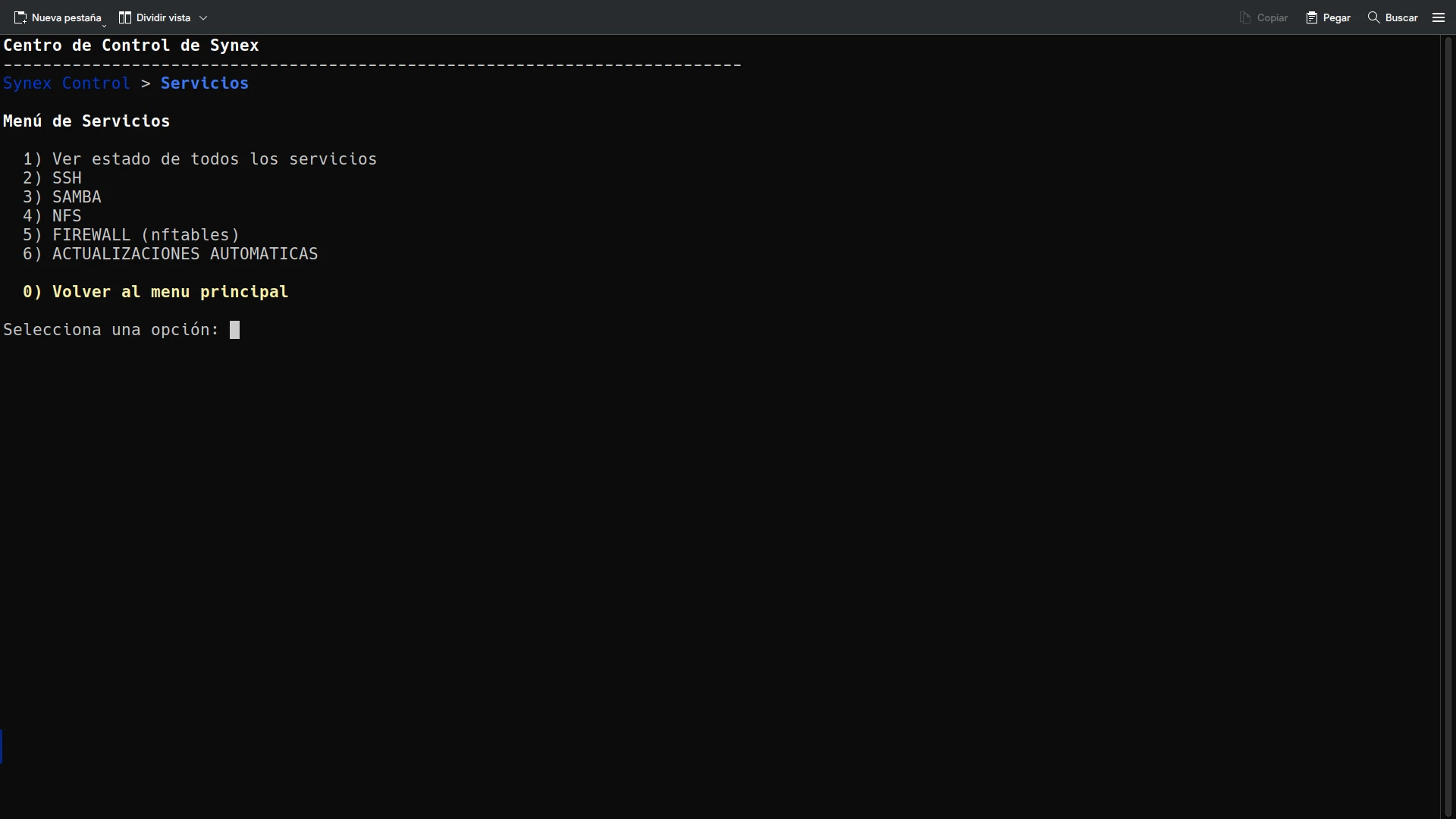
Synex Control
System administration from a TUI: users, network, services, and firewall.
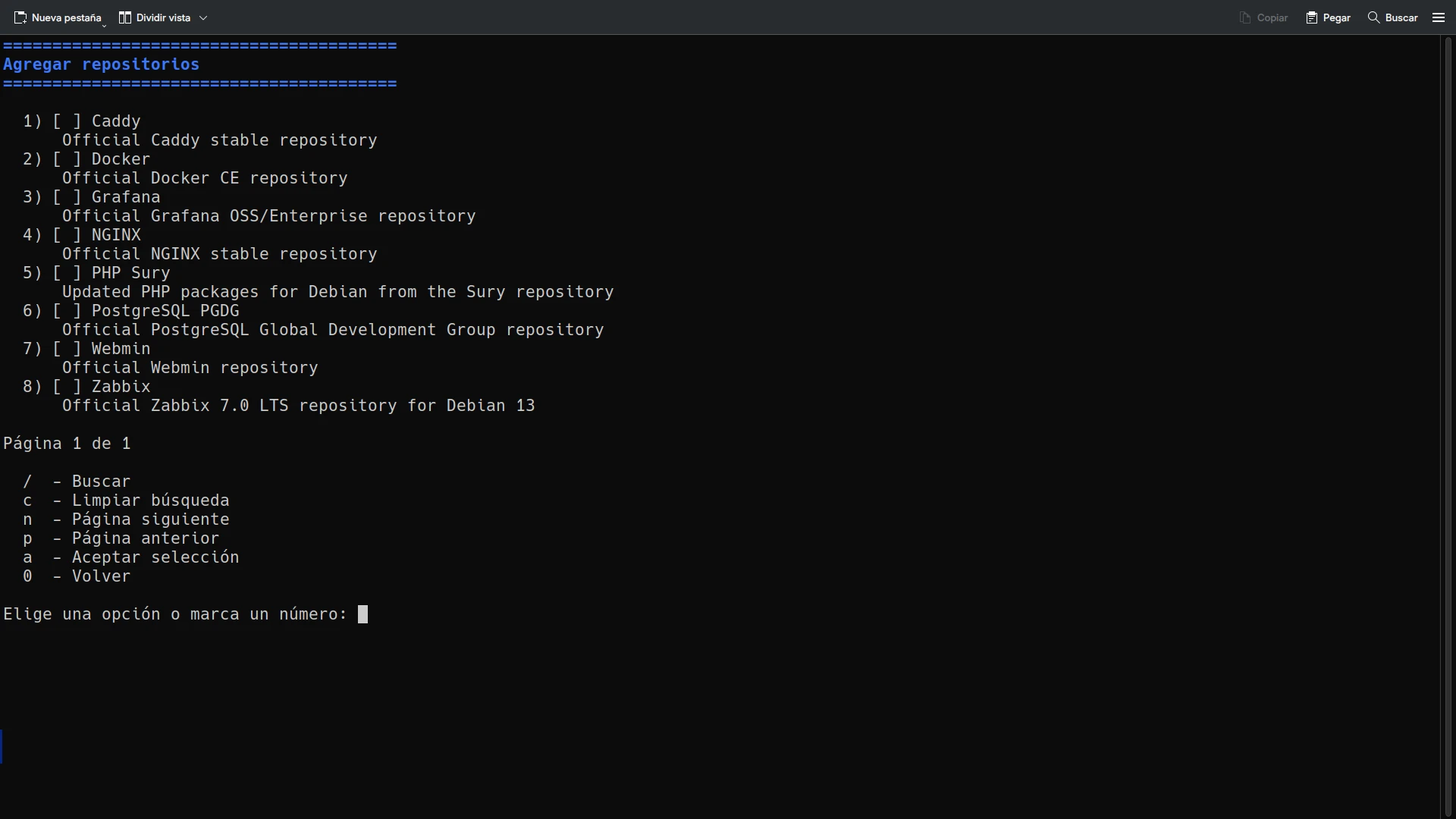
Synex Repo Manager
Third-party repositories with ready-to-use definitions: Docker, PostgreSQL, NGINX, and more.
And once it's up and running, ServerHub
Synex ServerHub is the modular platform for deploying and managing applications on top of Synex Server. Identity, containers, monitoring, office, support, and more — from a single tool with guided installation.
Get started with Synex Server
Download the ISO image. Free and open source.