

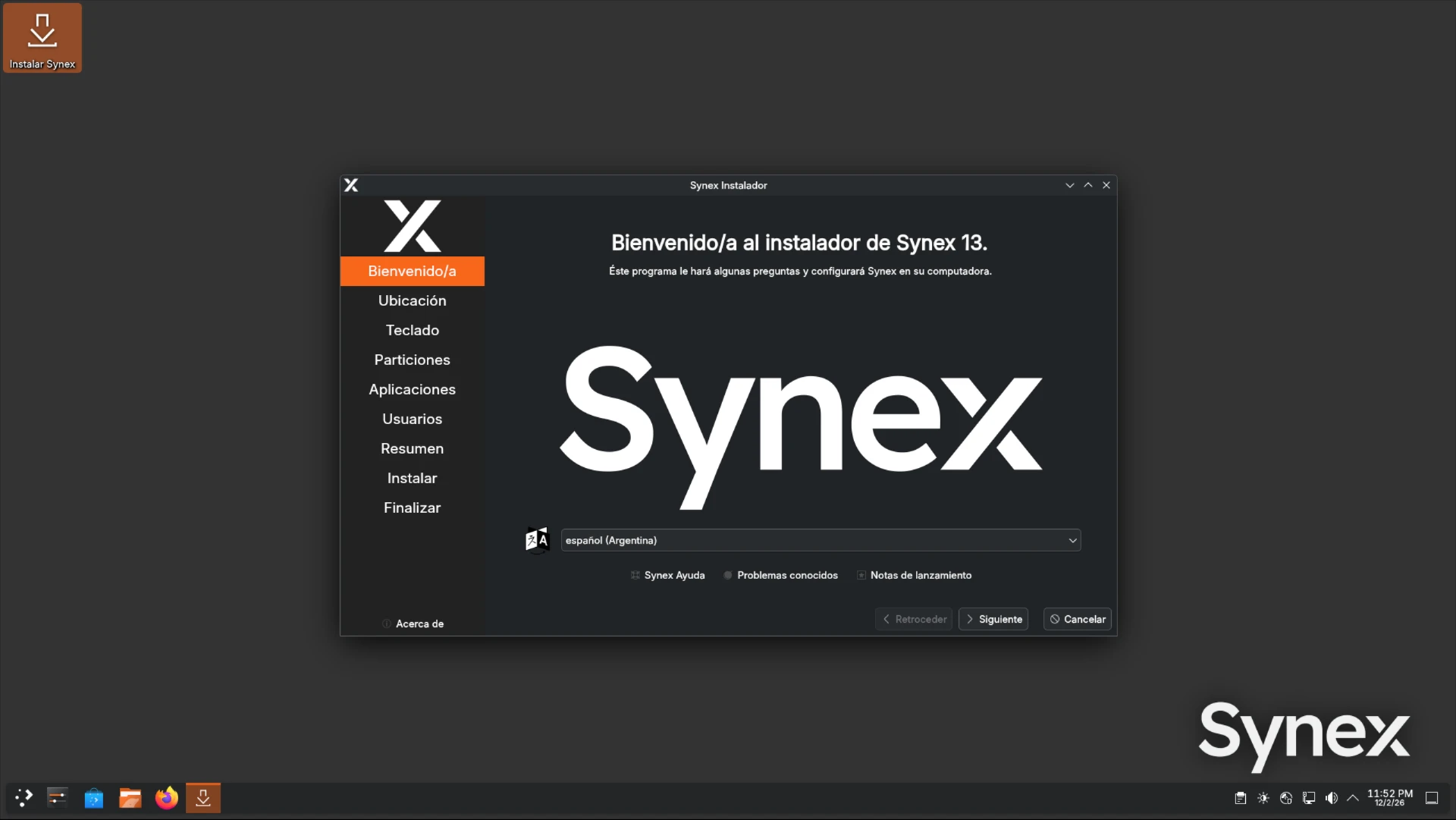
We are pleased to announce the release of Synex 13 u5, an update that fundamentally transforms the distribution's storage capabilities. This version not only incorporates ZFS as a fully supported option in the graphical installer, but also redefines the default filesystem and optimizes the installation workflow from first boot.
Calamares: native ZFS support
The most significant feature of this version is the complete integration of ZFS in the Calamares installer. Until now, users requiring ZFS had to resort to manual installation or the specialized synex-zfs-installer available in Synex Server. This limitation disappears with u5.
The installer now automatically creates ZFS pools with desktop-optimized configuration, including hierarchical datasets that separate system components according to administration best practices. The implemented structure follows the ROOT/synex scheme established in Synex Server, adapted for desktop environments.
ZFS dataset architecture
When the user selects ZFS as the filesystem, Calamares creates the zpsynex pool with the following properties: ashift=12 for advanced sector disk compatibility, compatibility=grub2 to ensure GRUB can read the pool, and POSIX ACL and xattr configurations for full compatibility with desktop applications.
Automatically created datasets include:
- ROOT/synex/root: System root dataset with automatic mounting disabled (requires explicit mounting during boot)
- ROOT/synex/home: User data with automatic mounting enabled and LZ4 compression
- ROOT/synex/var-cache: System cache, allows independent retention policies
- ROOT/synex/var-log: System logs with aggressive compression
- ROOT/synex/snapshots: Dedicated mount point for system snapshots
This separation allows managing each component granularly: applying specific quotas to home directories, configuring differentiated log retention, and creating snapshots of the complete system or individual components without affecting other datasets.
Renewed partitioning scheme
ZFS support required redesigning the partitioning scheme. GRUB cannot read ZFS natively, so /boot must reside on a traditional filesystem. The implemented solution separates boot into two independent partitions.
The new scheme creates:
- EFI partition (UEFI systems): 300MB, FAT32, mounted at
/boot/efi - Boot partition: 1GB, ext4, mounted at
/boot, contains kernels and initramfs - Root partition: Remaining space, ZFS pool with hierarchical datasets
This architecture is consistent regardless of the chosen filesystem. Users selecting ext4, XFS, or BTRFS also benefit from boot separation, improving isolation and facilitating system recovery in case of problems with the root partition.
ZFS and Secure Boot
ZFS support presents a technical peculiarity related to Secure Boot. ZFS kernel modules are dynamically compiled through DKMS and signed with a MOK (Machine Owner Key) included in the distribution. However, this key is not enrolled in the user's firmware during initial installation.
For users requiring ZFS with Secure Boot enabled, the recommended procedure is:
- Install the system normally with Secure Boot using another filesystem (btrfs for example)
- Once installed, enroll the MOK key located at
/var/lib/dkms/mok.pubusingmokutil --import - Reboot and complete enrollment in the firmware's MOK Manager
- Reinstall choosing ZFS as filesystem
This process is inherent to how DKMS works with Secure Boot and the key remains valid between system updates, so enrollment only needs to be performed once.
BTRFS as default filesystem
Synex 13 u5 changes the default filesystem from XFS to BTRFS. This decision responds to the specific characteristics that BTRFS brings to desktop environments: system snapshots, transparent compression, and expansion capability without downtime.
Subvolume structure
When the user accepts default options in the installer, Calamares creates an optimized BTRFS subvolume structure:
- @ (root): Subvolume mounted at
/, contains the operating system - @home: Subvolume mounted at
/home, isolated from the system to facilitate reinstallations - @log: Subvolume mounted at
/var/log, allows independent snapshot policies - @snapshots: Subvolume mounted at
/.snapshots, dedicated to storing system snapshots
This separation into subvolumes provides flexibility comparable to traditional LVM schemes, but with native BTRFS capabilities: snapshots are instantaneous and consume space only for modified blocks (copy-on-write), compression is applied transparently reducing disk usage, and each subvolume can have independent quotas and policies.
Transparent compression
Default mount options include compress=zstd:1, activating ZSTD level 1 compression on all BTRFS subvolumes. This compression level offers optimal balance between performance and compression ratio: significantly reduces disk usage for text files, logs, and source code, with minimal impact on CPU performance and I/O latency.
Compression operates completely transparently. Applications read and write files normally, and BTRFS manages compression and decompression automatically. On SSD disks, the write reduction generated by compression can extend device lifespan.
Users who prefer other filesystems can select ext4 or XFS during partitioning. BTRFS is now the default, but flexibility of choice remains as a fundamental principle of Synex.
Language selection from GRUB
The GRUB boot menu now presents direct language and keyboard layout selection before starting the live environment. Instead of booting with default configuration and changing later, the user selects their language on the first screen they see.
Main menu entries include direct access to: English (UK/US), Spanish (Argentina/Spain/Mexico), French, German, Italian, and Japanese. A "More languages..." submenu provides access to more than 20 additional languages, each with its corresponding preconfigured keyboard layout.
This improvement eliminates the friction of configuring language post-boot and ensures that the Calamares installer starts directly with the correct regional configuration. The system automatically detects firmware mode (UEFI or Legacy BIOS) and loads the kernel with appropriate localization parameters.
Visual improvements in Calamares
The installer receives updates to its visual presentation. A new slideshow during installation presents the six Synex desktop editions, allowing users to learn about the different available variants while the system copies to disk.
Qt integration was optimized to ensure visual coherence across all desktop environments. The installer now respects the system theme and applies consistent font configurations, eliminating visual inconsistencies that could appear in environments like LXDE or XFCE.
Branding elements maintain the institutional orange color (#F8671A) in sidebars and active elements, reinforcing Synex's visual identity regardless of the desktop environment from which installation is initiated.
System updates
This version includes all cumulative package updates available in Debian Trixie repositories up to the build date. Security patches and bug fixes subsequent to version u4 are incorporated, along with the updated kernel corresponding to the amd64 architecture.
Availability and download
Synex 13 u5 is available for immediate download in its six desktop editions: KDE Plasma, GNOME, XFCE, MATE, LXDE, and IceWM. As always, we recommend verifying checksums of downloaded images before creating the installation media.
Users of previous Synex 13 versions can update their system through the standard package manager. New Calamares capabilities are available only in new installations; existing systems do not automatically migrate to BTRFS or ZFS.
Download Synex 13 u5 from here.