

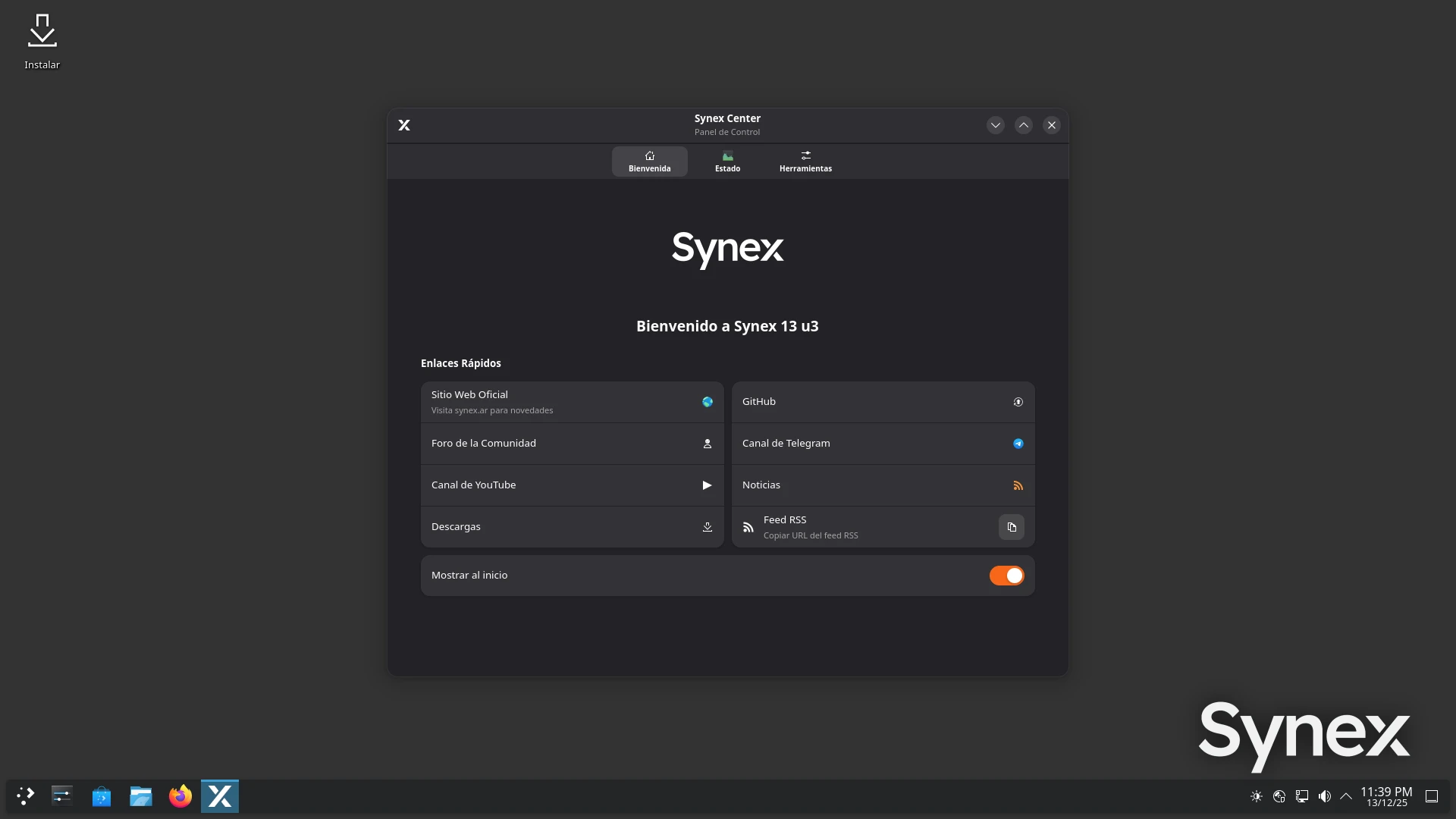
We are pleased to announce the release of Synex 13 u3, an update that significantly improves the user experience from first boot. This version introduces a new application that serves as the system control center, facilitates access to community resources, and expands graphics hardware support.
Synex Center: unified welcome and control
The main feature of this version is Synex Center, an application developed specifically for Synex that functions as both system entry point and integrated control panel. Designed with a modern and accessible interface, Synex Center is completely translated into Spanish and English, with automatic system language detection.
The application supports light and dark themes, automatically adapting to user preferences. This feature ensures a consistent visual experience regardless of the desktop environment or chosen theme configuration.
Quick links and localized resources
The first section of Synex Center offers direct access to all official project resources. Links include the website, community forum, GitHub repository, Telegram channel, YouTube channel, blog news, RSS feed, and downloads. The notable aspect is that these links are completely localized: if the system is in Spanish, links point to Spanish resources; if in English, to English resources.
This section also includes the "Show at startup" option, which allows controlling whether Synex Center runs automatically at login. Users who prefer to boot directly to their desktop can easily disable this function.
Real-time system monitoring
The second section provides updated information about system status. Synex Center displays current CPU and RAM usage through visual progress bars, processor temperature, the exact installed Synex version, kernel version, and desktop environment in use.
Additionally, it presents disk usage of main partitions (root and home) with percentages and used/available space. This centralized information allows verifying system status at a glance, without needing to open multiple terminals or monitoring tools.
Integrated management tools
The third section concentrates common administrative actions. The "Update System (1-Click)" button executes the complete system update with a single click, simplifying a task that normally requires opening a terminal and executing commands manually. The process shows visual progress and notifies upon completion.
The "Install NVIDIA Drivers" button launches the graphics driver installation assistant, integrated directly into Synex Center for easy access. This integration is especially valuable for new users who need to configure their graphics cards after installation.
synex-nvidia-helper: legacy hardware support
The NVIDIA driver installation assistant receives an important update in this version. It now offers two operation modes: automatic installation from official repositories (the traditional method recommended for modern hardware) and manual installation through official NVIDIA .run installers.
This second mode is fundamental for supporting legacy hardware that is no longer included in current Debian repositories. Users with legacy graphics cards can now install the appropriate drivers directly from Synex, without needing to manually search and download the correct files. This includes drivers for versions 580, 470, 390, and 340.
In automatic mode, the assistant detects the hardware, suggests the appropriate driver version, adds the official NVIDIA repository through Debian 13's cuda-keyring to ensure compatibility with official repositories and makes it available for future updates.
In both modes, it configures necessary prerequisites (DKMS, kernel headers, build-essential), applies automatic blacklist of the nouveau driver, and executes the complete installation. The entire process is logged in detail to facilitate diagnosis in case of problems.
The assistant interface is completely bilingual, with automatic language detection according to system configuration. As a final suggestion for those users who are unsure about which driver to choose, we recommend verifying it from here. Additionally, we would like to clarify that users of the GeForce 10 series (1080, 1070, 1060, etc.), although not yet listed as legacy, no longer support driver 590, so they should choose legacy mode and install version 580.
System updates
This version includes kernel 6.12.57+ for amd64 architecture, along with all package updates available in Debian Trixie repositories. Security patches and bug fixes accumulated since version u2 are incorporated.
Availability and download
Synex 13 u3 is available for immediate download in its four desktop editions: KDE Plasma, GNOME, XFCE, and LXDE. As always, we recommend verifying the checksums of downloaded images before creating installation media.
Users of Synex 13 u2 can update their system through the standard package manager. For those who want to install Synex Center, they can install it directly from our repositories.
Synex Server continues its development in an independent cycle and remains in Release Candidate phase. We will soon announce specific news for this specialized edition.
Acknowledgments
We thank everyone who has contributed to this new version, especially the suggestions about centralizing resource access and simplifying common administrative tasks, which materialized in Synex Center.
As always, we invite you to join the discussions at forum.synex.ar, report any issues you encounter, and share your experiences with Synex 13 u3.
Download Synex 13 u3 from here.